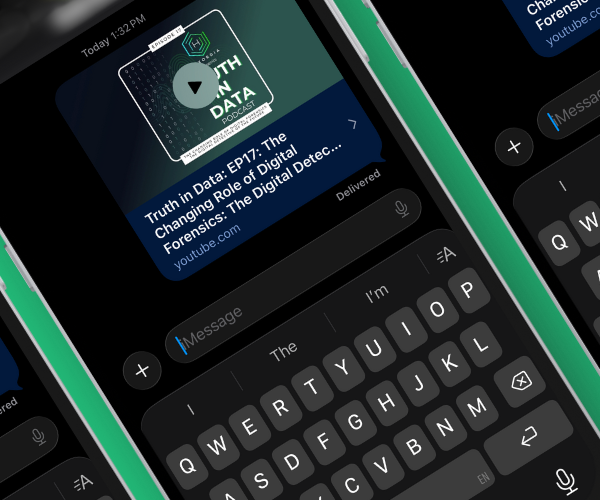
If you are an iOS or macOS user, you might notice a specific handy feature within the Messages application. When you play a YouTube link within Messages, the video plays immediately, or in some cases grays out the video for a few seconds and then plays the content. But more importantly, it plays entirely without advertisements. How is this possible? Is it a bug? A contract between Google and Apple? After digging into some related frameworks on iOS, the answer appears to be found within a specific undocumented WebKit plugin. Here is a technical breakdown explaining exactly how Apple and YouTube negotiate this ad-free experience.
LinkPresentation Framework
iOS uses a particular framework, the LinkPresentation framework, to render preview bubbles within applications. This is a framework accessible by both first-party applications and third-party applications. This framework allows developers to present links in dynamic webviews, extract metadata from browsing sessions, stream video content directly into a custom UI overlay, and more. However, for YouTube videos in particular, Apple loads an additional extension.
YouTubePlayer.wkbundle
The YouTubePlayer WebKit plugin is an extension made for the LinkPresentation framework for iOS. This could be found on devices at \System\Library\Frameworks\LinkPresentation.framework\PlugIns\YouTubePlayer.wkbundle. I came across this small plugin while doing some research and noticed a unique detail – this plugin is crafted to intercept and modify network requests made to YouTube if the originating application is the Messages application (defined by the value “isMessagesOrMessagesViewService”). You can find the full pseudocode demonstrating this in “Appendix A. YouTubePlayer.wkbundle Pseudocode”.
If the origin check passes, the plugin modifies two specific values:
It sets an attribution value to "1" (likely an internal developer flag but I do not believe this is important)
It hardcodes a “Referer” header to a specific internal Apple URL (“https://mobilesms.apple.com”)
This hardcoded “Referer” value is the key. This URL does not resolve to a public website at all; it is simply a unique signal to let YouTube know that content is expected to be returned in a specific format. When YouTube servers receive a request with this unique “Referer” header, the backend seemingly returns a unique stream that has no advertisements (or less advertisements). This suggests a hard-coded integration between YouTube and iMessage that has remarkably zero public documentation.
Testing
Up until this point, all of this has been a hypothesis based on some random binary I decided to reverse engineer, so let’s confirm it! To do so I am going to use a chrome extension called “ModHeader” [1] which will allow me to modify the header for any webpage I am visiting dynamically.
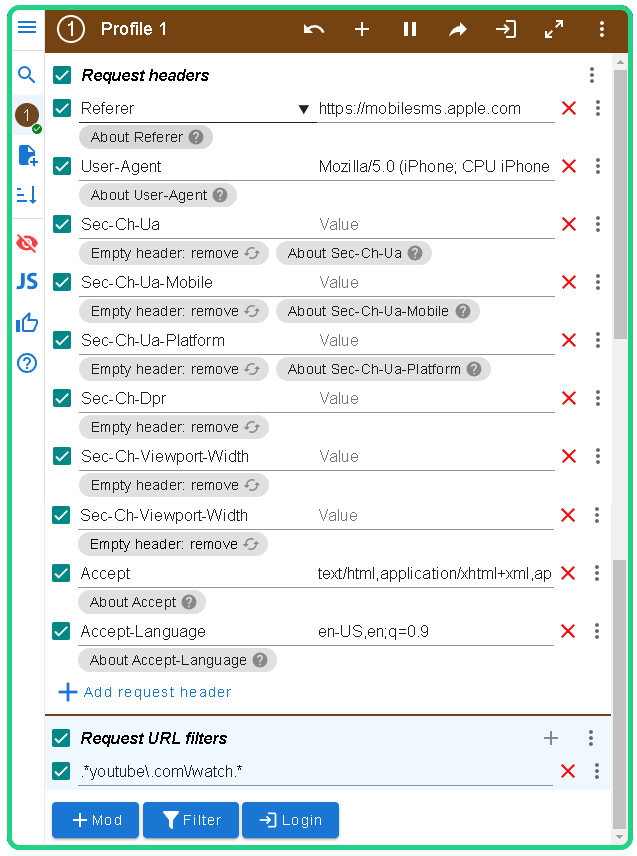
ModHeader configuration should be set to define a few header values (the Referer alone was not enough from my testing):
“Referer” = “https://mobilesms.apple.com”
“User-Agent” = Some iOS-like user agent (in this case I will use “Mozilla/5.0 (iPhone; CPU iPhone OS 17_0 like Mac OS X) AppleWebKit/605.1.15 (KHTML, like Gecko) Version/17.0 Mobile/15E148 Safari/604.1”).
“Accept” = “text/html,application/xhtml+xml,application/xml;q=0.9,*/*;q=0.8”
“Accept-Language” = “en-US,en;q=0.9”
“Sec-Ch-Ua” = null
“Sec-Ch-Mobile” = null
“Sec-Ch-Platform” = null
“Sec-Ch-Dpr” = null
“Sec-Ch-Viewport-Width” = null
Request URL Filter = “.*youtube\.com\/watch.*”
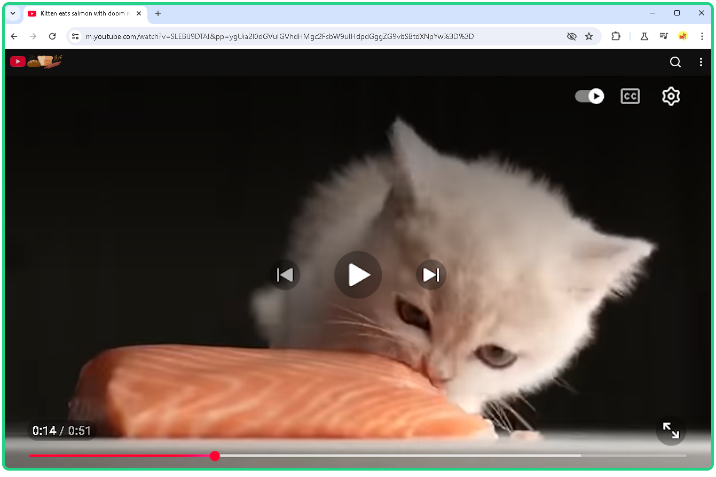
Upon loading a YouTube video with these tweaks, a few things are apparent. Setting the user agent to an iOS compatible user agent will produce a different webpage style, one more compatible for iOS devices with large, centered UI controls (but this is expected). Additional UI elements can be found through interaction, the actual resolution seems much lower than the selected resolution (this is likely hardcoded to save bandwidth for small previews), and clicking out of the window pauses the video. But more importantly, the user agent in combination with the referrer will change how ads act.
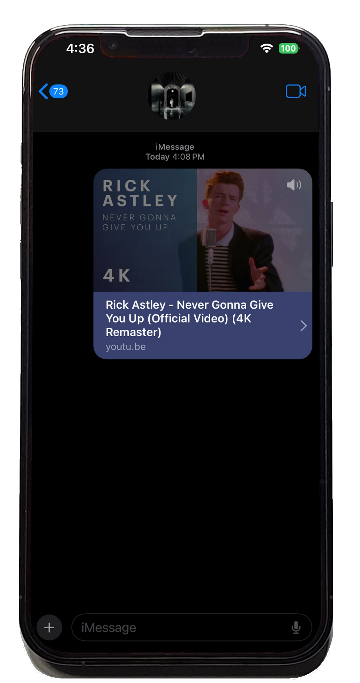
Ads CAN still appear but rather than being served large ads which can be “Skipped” after several seconds, you will be served small ads only about five to fifteen seconds in length (and I believe even these are served less often). But this isn’t what we see in the UI, right?
As it turns out, even iMessage occasionally gets these small ads but Apple gets around this by simply graying out the video until ads automatically disappear! If you unmute the video fast enough while an ad is showing, you can even hear it playing in the background.
The response presents a stream which simply contains the advertisements back to back alongside the actual video content. YouTube assumes the client is a simple preview bubble that cannot handle complex asynchronous fetching. This reveals that the "ad-free" experience isn't just a server-side exemption, rather it is a combination of server negotiation and client-side UI masking.
Appendix A. YouTubePlayer.wkbundle Pseudocode
@interface LPYouTubePlayerWebProcessPlugIn : NSObject {
BOOL _isMessagesOrMessagesViewService;
}
@end

@implementation LPYouTubePlayerWebProcessPlugIn

// Method: -[LPYouTubePlayerWebProcessPlugIn webProcessPlugIn:initializeWithObject:]
// Initializes the plug-in and sets the _isMessagesOrMessagesViewService flag based on parameters.
- (void)webProcessPlugIn:(id)webProcessPlugIn initializeWithObject:(id)object {
id parameters = [webProcessPlugIn parameters];
id value = [parameters valueForKey:@"isMessagesOrMessagesViewService"];
_isMessagesOrMessagesViewService = [value boolValue]; // Is this a view for iMessage video preview
}

// Method: -[LPYouTubePlayerWebProcessPlugIn webProcessPlugIn:didCreateBrowserContextController:]
// Sets the load delegate for the browser context controller.
- (void)webProcessPlugIn:(id)webProcessPlugIn didCreateBrowserContextController:(id)browserContextController {
[browserContextController setLoadDelegate:self];
}

// Method: -[LPYouTubePlayerWebProcessPlugIn webProcessPlugInBrowserContextController:frame:willSendRequestForResource:request:redirectResponse:]
// Intercepts and modifies request if in Messages context, adding attribution and a custom Referer header.
- (id)webProcessPlugInBrowserContextController:(id)browserContextController
frame:(id)frame
willSendRequestForResource:(id)resourceIdentifier
request:(NSURLRequest *)request
redirectResponse:(NSURLResponse *)redirectResponse {

if (!_isMessagesOrMessagesViewService) {
return request; // Return original request if not in Messages context
}

NSMutableURLRequest *mutableRequest = [request mutableCopy];
[mutableRequest setAttribution:1]; // Sets developer attribution
[mutableRequest setValue:@"https://mobilesms.apple.com"
forHTTPHeaderField:@"Referer"];
return mutableRequest;
}

@end