
When analyzing iOS devices, examiners frequently encounter forensic blind spots in standard database extractions. Crucial volatile actions, user interactions, and hardware states often live inside diagnostic logs and unified telemetry rather than in applications.
To help examiners cut through the noise and automate the recovery of these complex artifacts, Hexordia has contributed a robust set of parsers to iLEAPP focusing on two major investigative pillars: Sysdiagnose and Unified Logs (logarchive).
Whether you are working from a targeted diagnostic capture or a full file system (FFS) extraction, these parsers convert raw system dumps into structured, timeline-ready evidence.
1. Sysdiagnose Parsers
Sysdiagnose archives are a goldmine for system configuration, hardware identity, and execution history. Our new contributions include a dedicated ingestion helper alongside specialized forensic parsers:
Embedded .tar.gz Processing: A centralized helper function that automatically detects, unpacks, and parses embedded sysdiagnose.tar.gz archives found within FFS extractions or triage folder structures.
Hardware & Device Baseline:
Disk & Partition Layouts: Details physical and logical partition schemas across Apple device storage.
Factory Data Reset Telemetry: Recovers baseline device identity markers including serial numbers, IMEI, Wi-Fi MAC addresses, and Bluetooth MAC addresses associated with factory resets.
Dump State Identity: Parses system chip IDs, UDIDs, model specs, CPU architecture, and hardware configurations.
Device Preferences: Surfaces hostnames, user-assigned device names, hardware revisions, and network interface identifiers.
Connectivity & Networking:
Bluetooth Status: Tracks paired and connected peripheral names, MAC addresses, connection history, and pairing states.
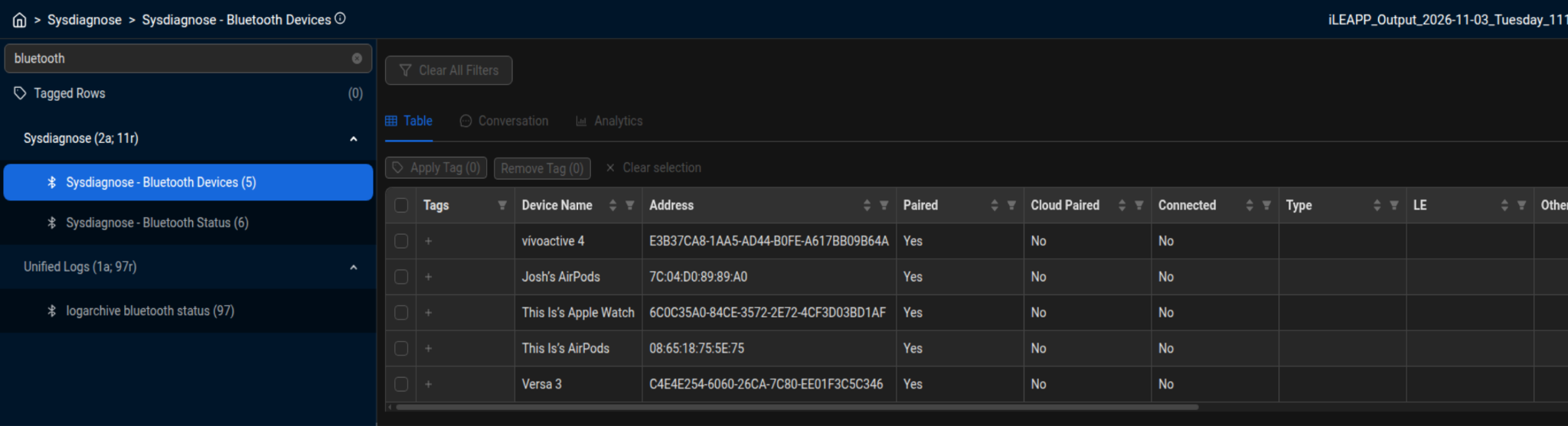
Sysdiagnose — Bluetooth Devices
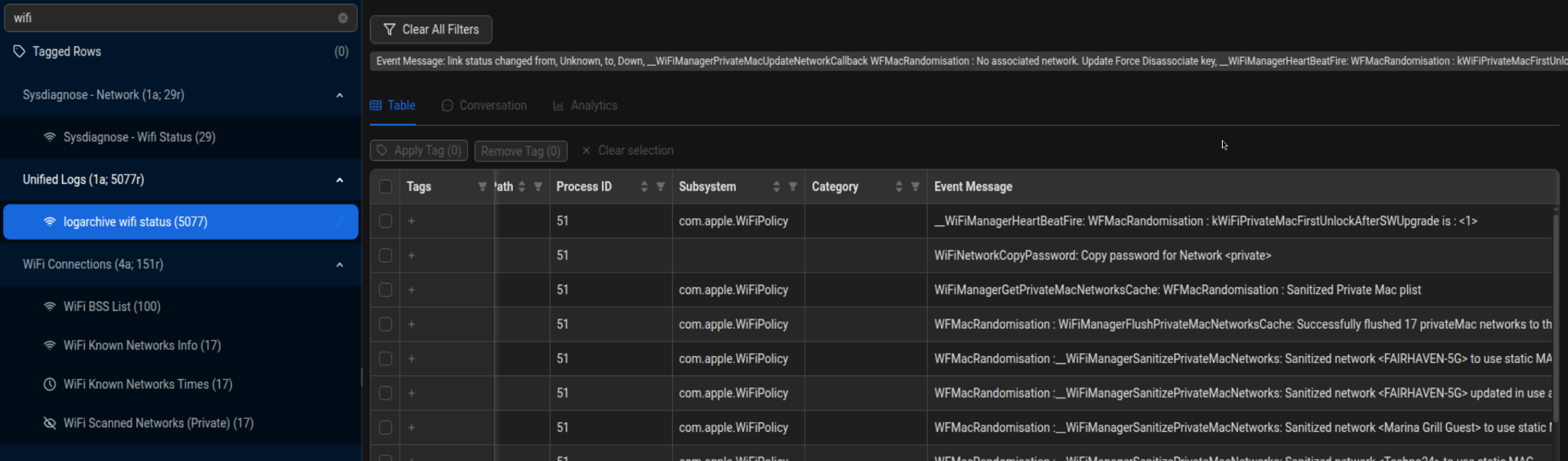
Unified Logs — Wi-Fi status (MAC randomization / link events)
Execution & System Security:
Spin Dump Analysis: Reconstructs process execution states, binary file paths, parent process IDs, cumulative CPU runtimes, total boot uptime, and time spent awake since boot.
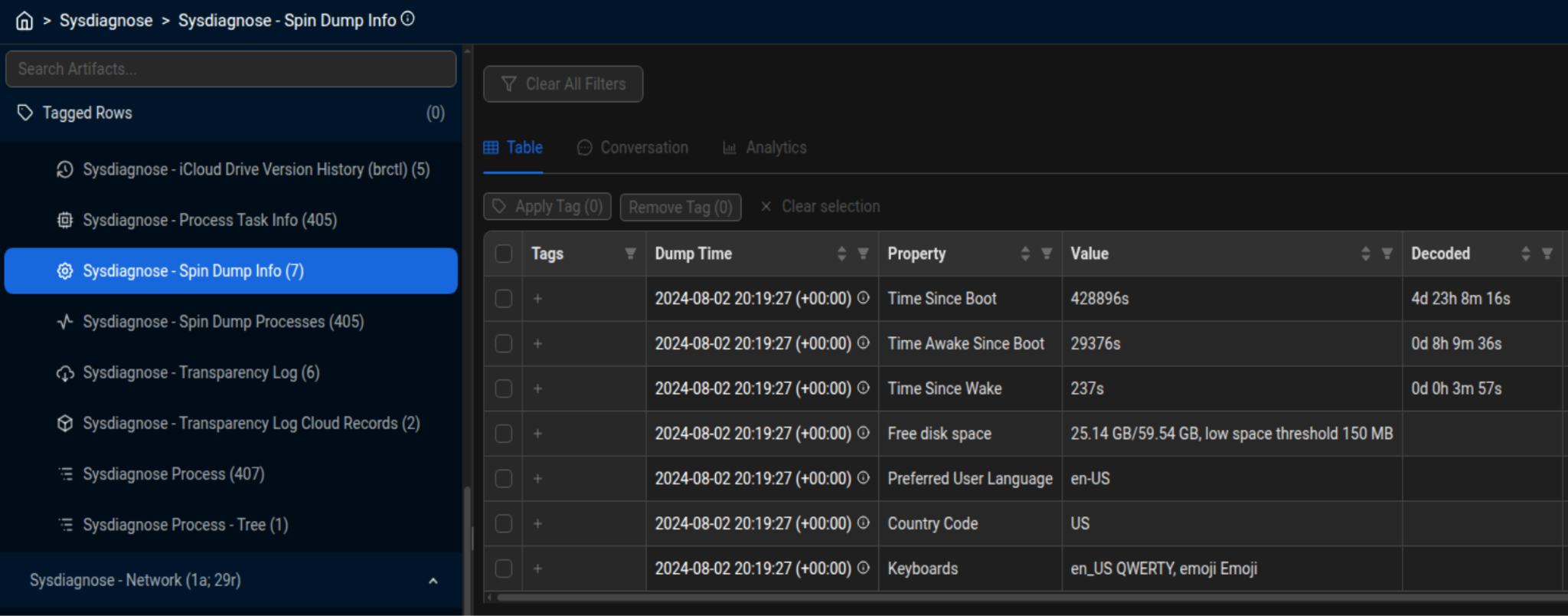
Sysdiagnose — Spin Dump Info
Transparency Logs: Extracts secondary device information and associated iCloud record identifiers.
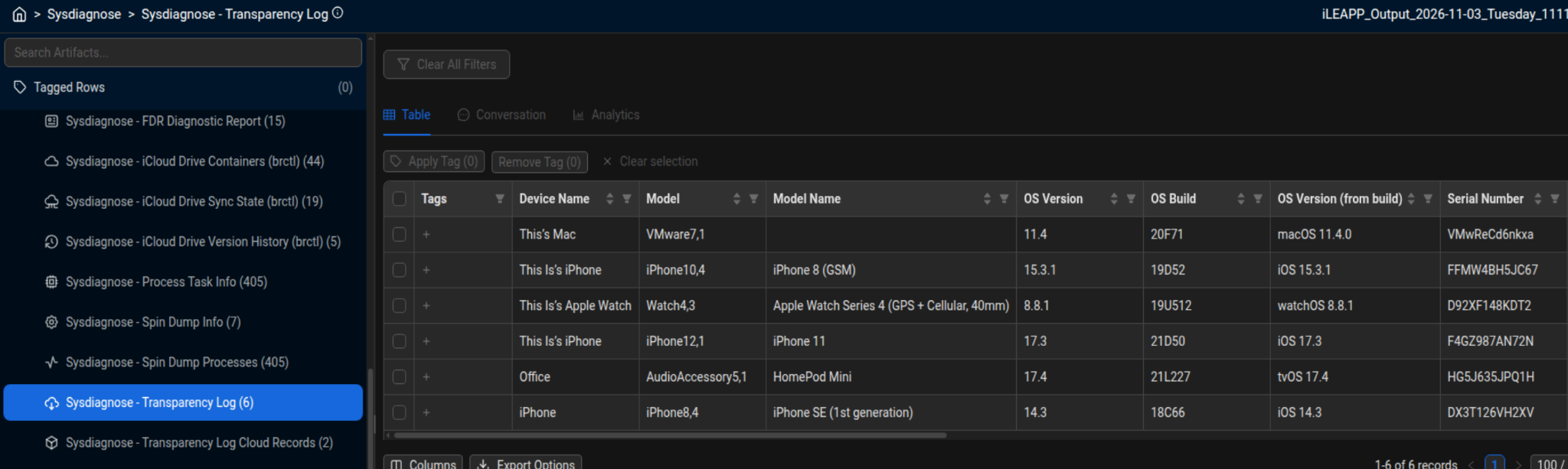
Sysdiagnose — Transparency Log
Security Settings: Identifies user security preferences, including display auto-lock timers and grace periods for passcode re-entry.
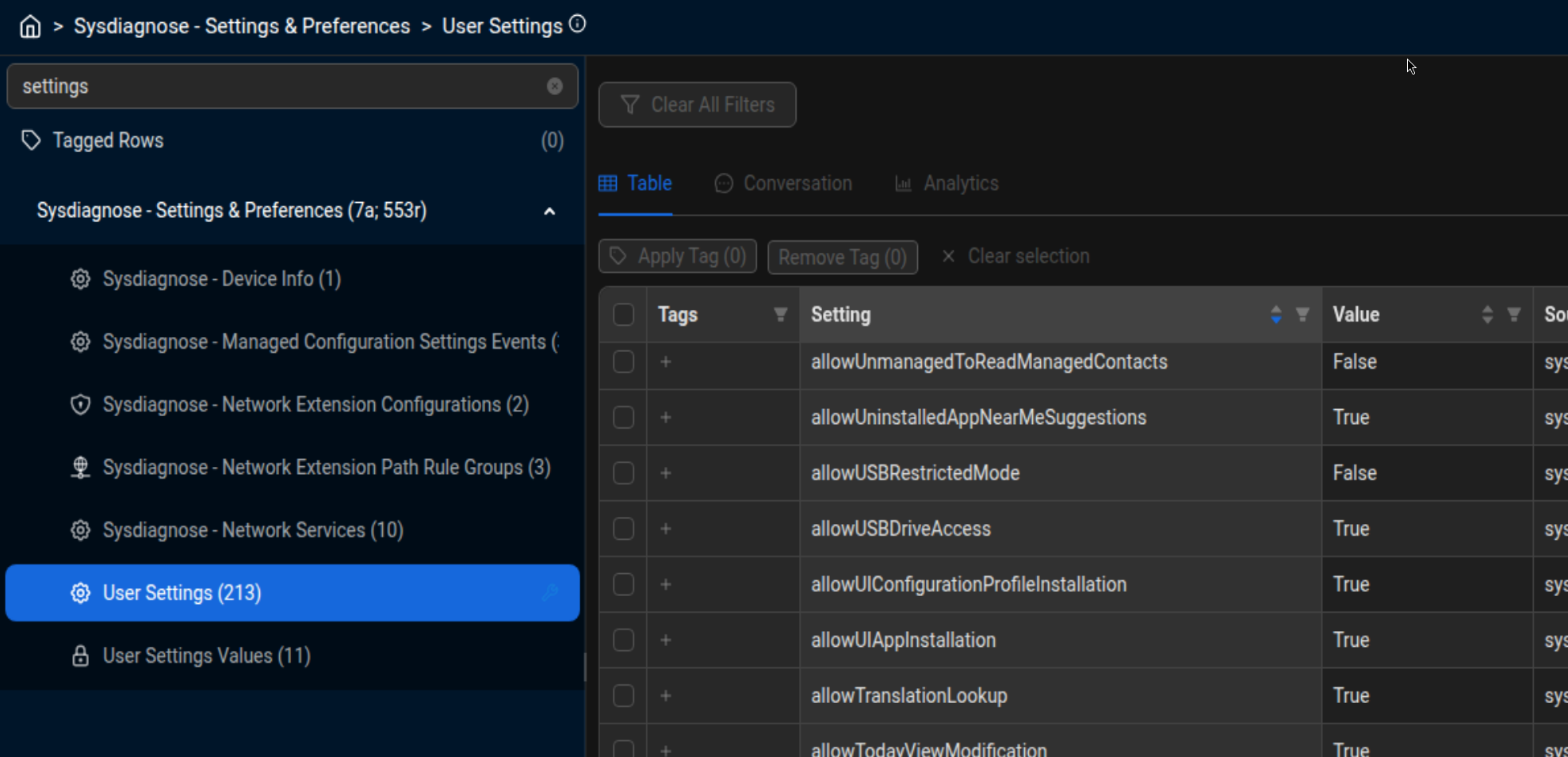
Sysdiagnose — User Settings
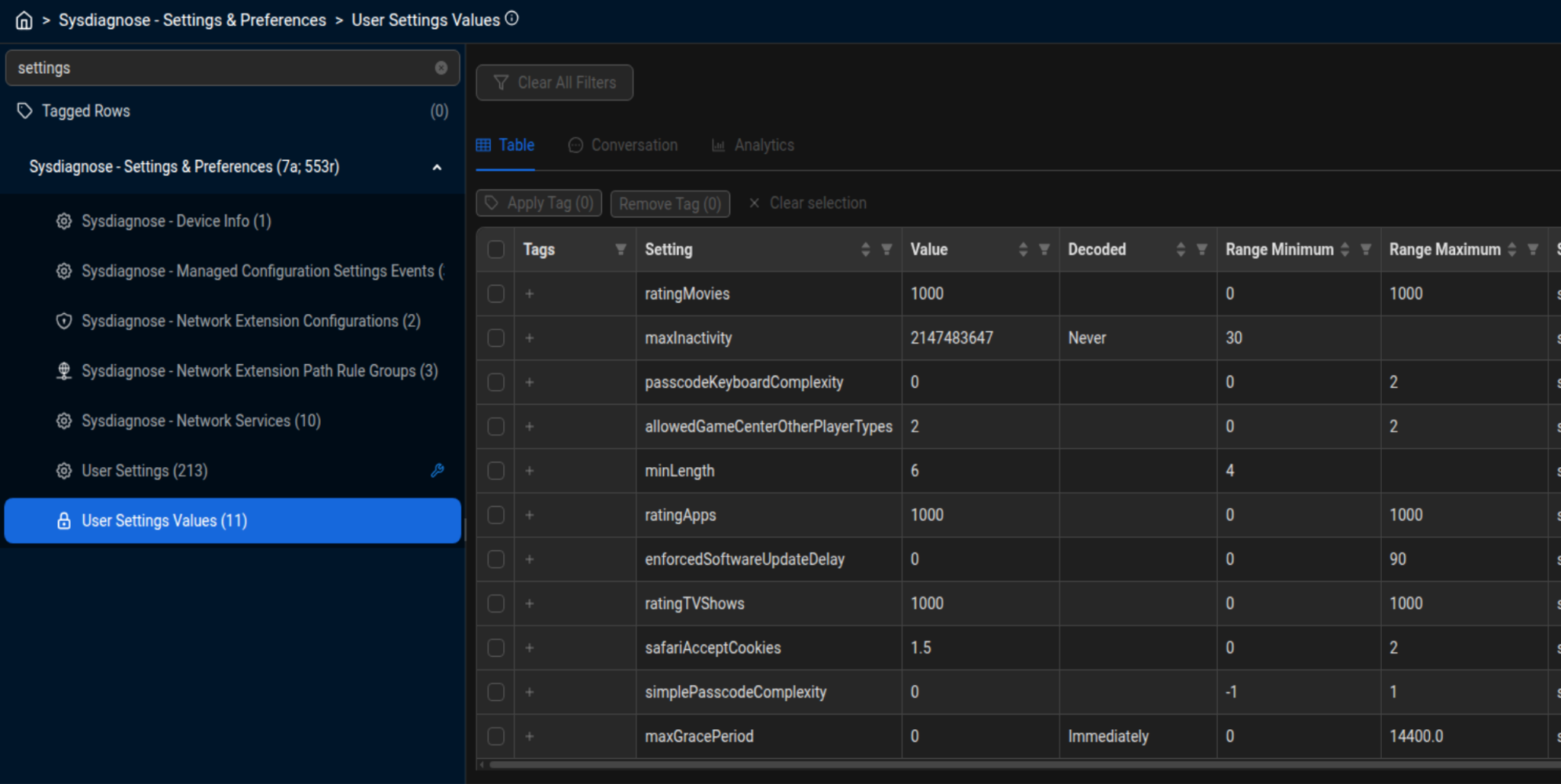
Sysdiagnose — User Settings Values (auto-lock / passcode-related)
2. Unified Logs (.logarchive) Parsers
Apple’s Unified Logging architecture records high-volume internal system events. Manually filtering gigabytes of log lines for single forensic events is time-prohibitive. Our new parsers automate extraction for critical investigative touchpoints:
Screen Wake Sources: Pinpoints the exact event that triggered the screen to turn on—distinguishing between push notifications, lift-to-wake gestures, power/lock button presses, and physical screen touches. This is critical for establishing user presence versus passive device activity.
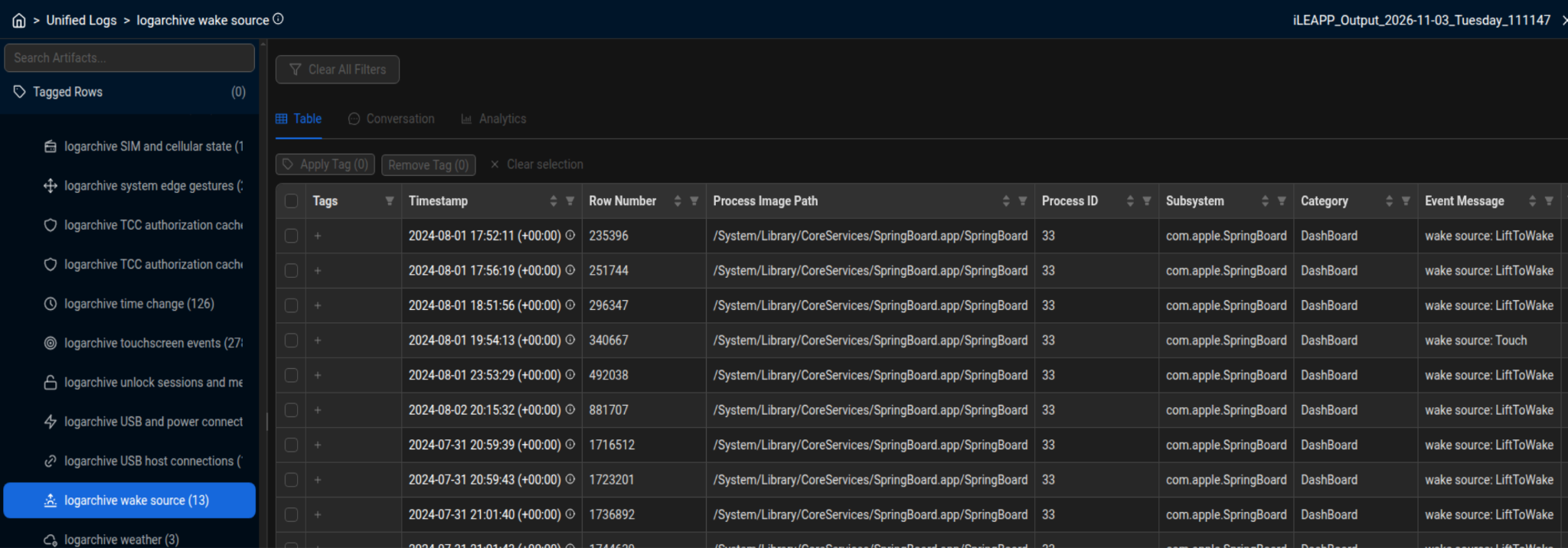
Unified Logs — Screen wake sources
Application Lifecycle & UI Snapshots:
Maps application transitions across foreground, background, and suspended states.
Captures application installation, uninstallation, and update events.
Resolves sandboxed application container paths post-installation or update.
Extracts UI snapshot generation metadata, directing examiners to the associated .ktx image files on the file system to preview what was on the screen when the app transitioned to the background.
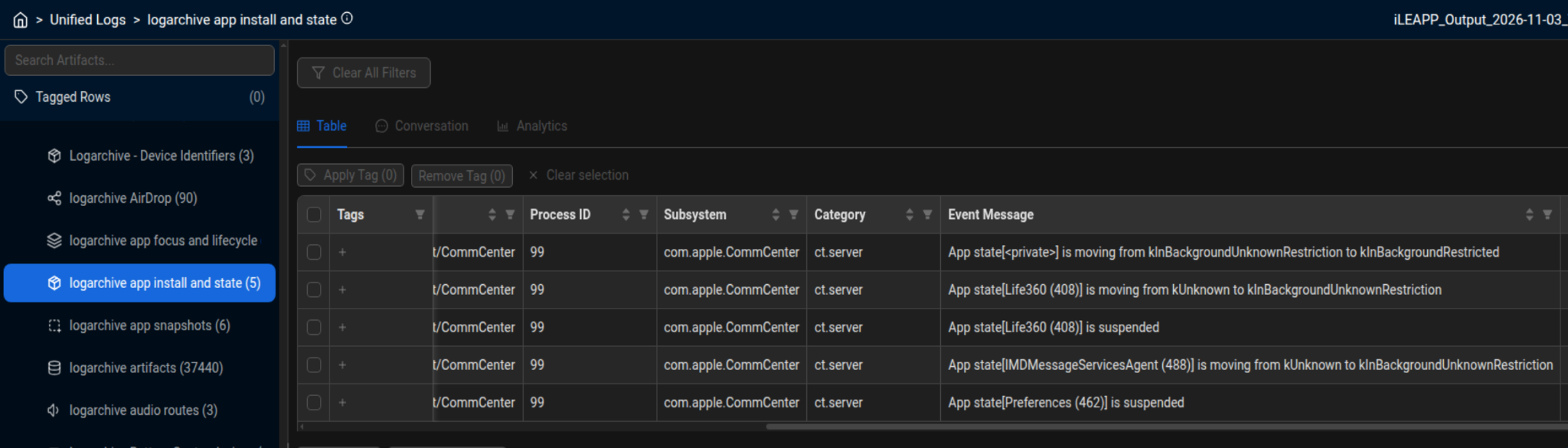
Unified Logs — App install and state
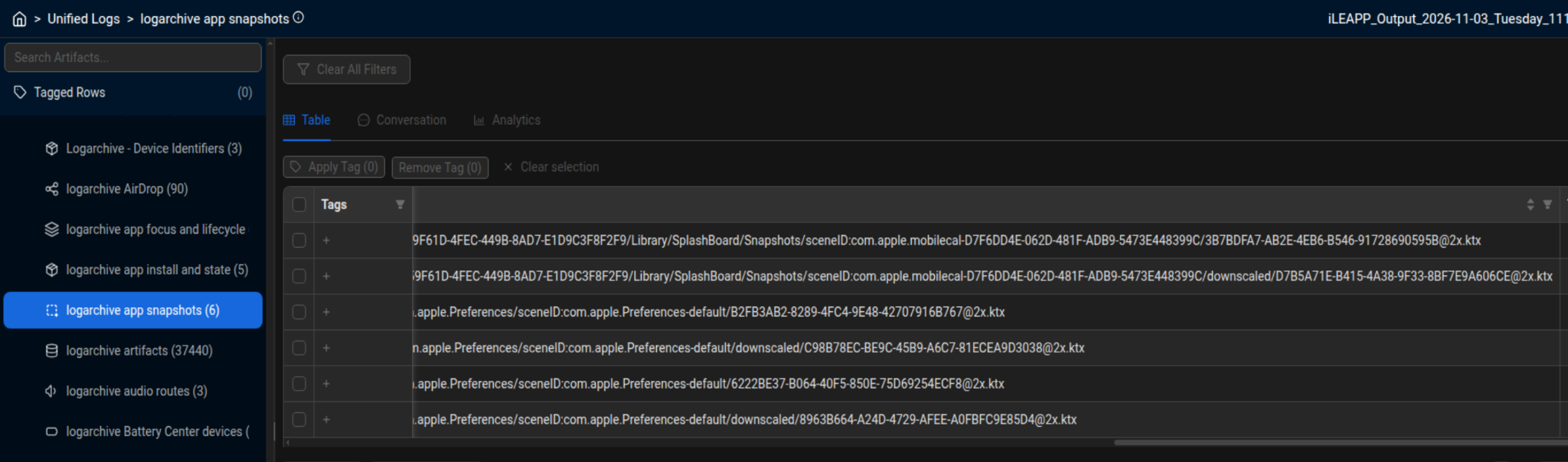
Unified Logs — App snapshots (.ktx paths)
Communication & Ambient Telemetry:
Weather Widget Queries: Parses backend weather update queries that can surface potential latitude and longitude coordinates requested by the widget.
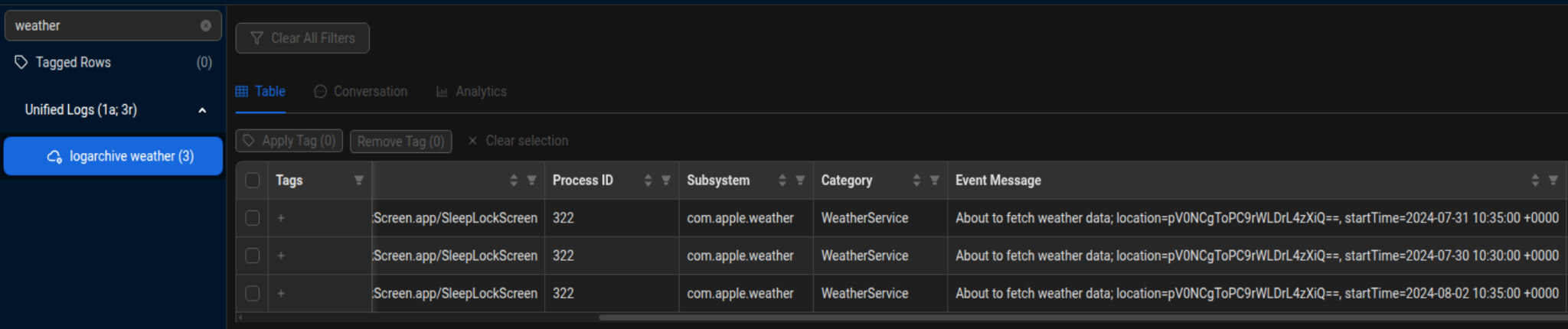
Unified Logs — Weather widget queries
AirDrop Activity: Details local AirDrop identifiers, discoverability states, and partial validation record hashes.
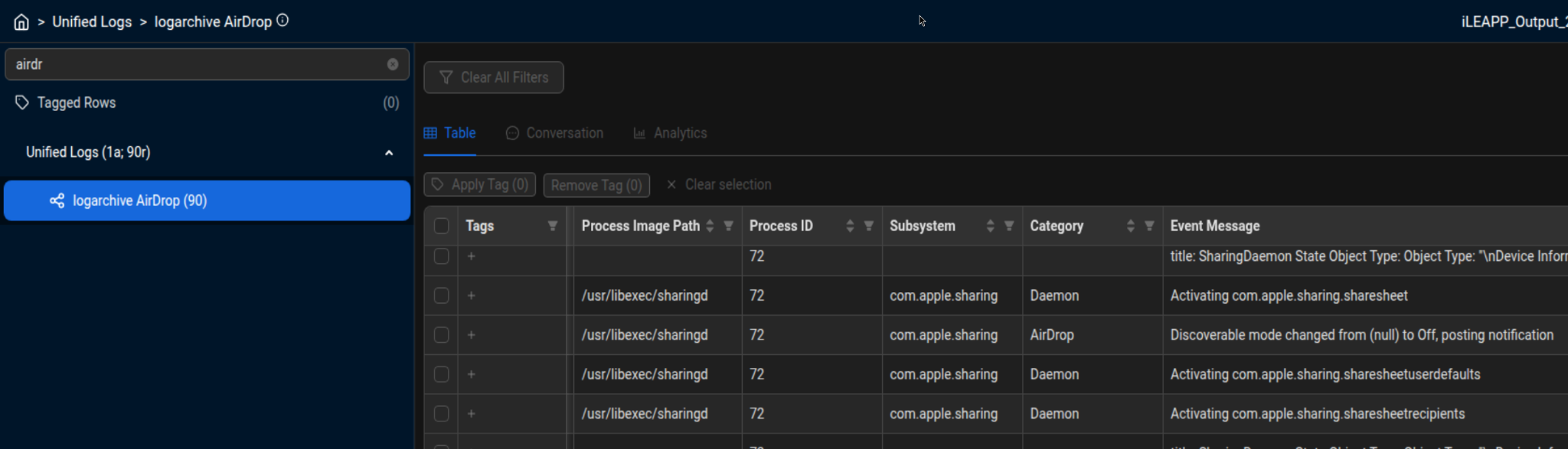
Unified Logs — AirDrop
IP Multimedia Calls: Identifies legacy incoming calls processed via the IP Multimedia Subsystem.
Personal Hotspot: Identifies Family Share Hotspot activity, connected user names, and operational states.

Unified Logs — Family Share Hotspot
Device Identifiers: Parses OS build numbers, device versions, hardware models, and serial numbers directly from the log stream.
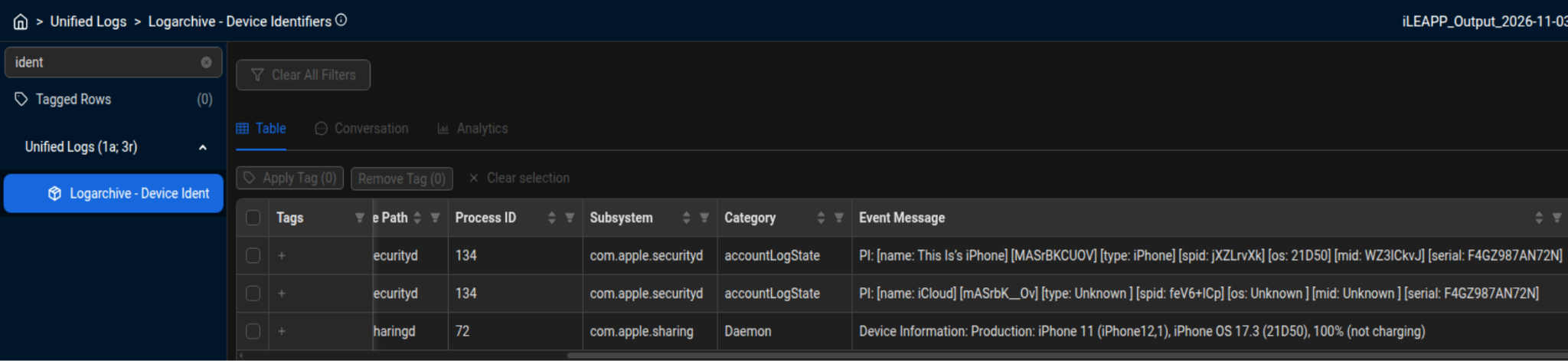
Unified Logs — Device identifiers
Using the New Parsers in iLEAPP
These updates are live in the upstream iLEAPP repository. You will want to update to the newest version of iLEAPP a couple of different ways.
Download the latest version of iLEAPP from the official page: leapps.org
Use the Evanole VM Environment Version Manager (EVM) to update the version of iLEAPP in Evanole VM. More details on using this feature can be found here: https://www.hexordia.com/blog/announcing-evanole-vm-v20260603
Community & Feedback
Hexordia is committed to giving back to the DFIR community through actionable research, training, and open-source contributions. We encourage examiners to run these parsers across various iOS versions, validate against their own test datasets, and submit feedback.