

iOS Image
Need a Challenge? (5 Points)
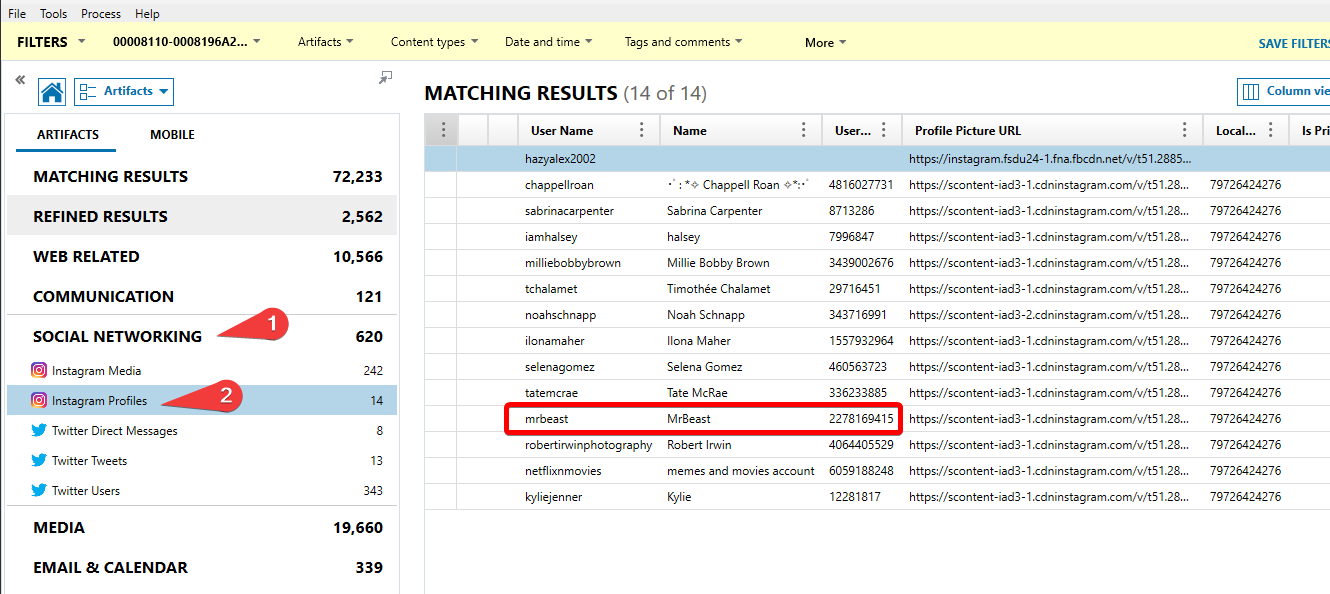
What Instagram handle does User ID 2278169415 belong to?
Axiom has a section that lists Instagram profiles found in evidence, along with the User ID.
You can also find this information in the following two plists:
\private\var\mobile\Containers\Shared\AppGroup\7E82ADBC-6B3B-4CC9-8A8C-293F2126B5CE\79726424276\user_bootstrap\shared_bootstraps.plist
\private\var\mobile\Containers\Data\Application\5A92C2C1-E1D8-4943-B38A-D0A5DDFC4860\Library\Preferences\com.burbn.instagram.plist
FLAG
@mrbeast OR mrbeast
So Thoughtful (5 Points)
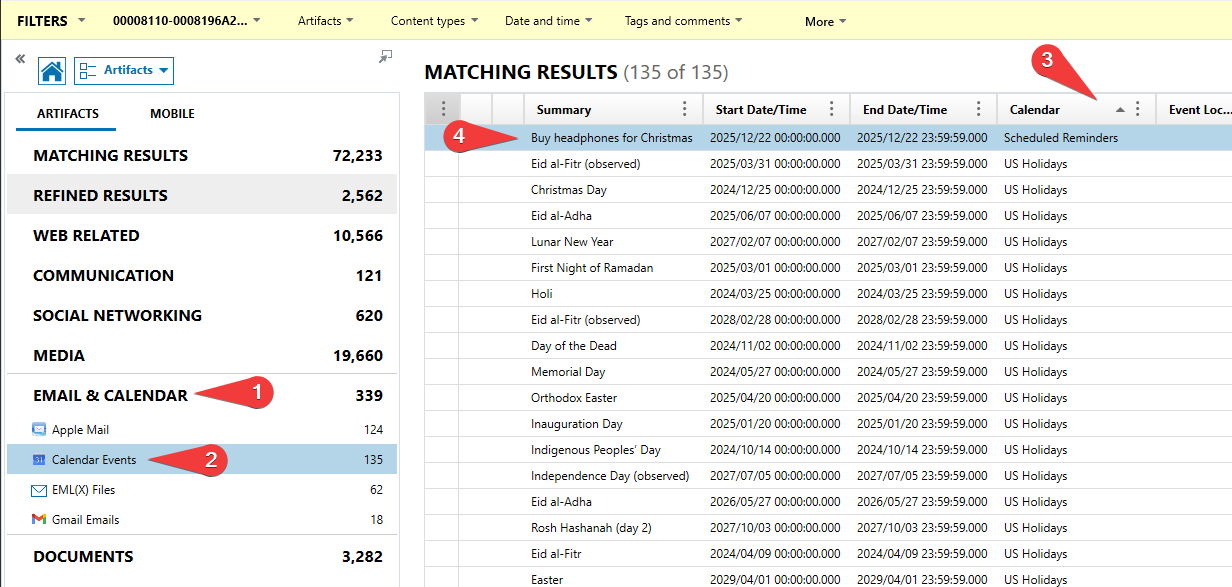
What item does the user need to buy for Christmas?
Axiom has a section that records all the calendar events found in the evidence. Most of the events are default US Holidays and can be ignored. By sorting by the calendar group, the relevant event should float to the top.
This data can also be found in a database located at:
\private\var\mobile\Library\Calendar\Calendar.sqlitedb
FLAG
headphones
Don’t Lose your Data (5 Points)
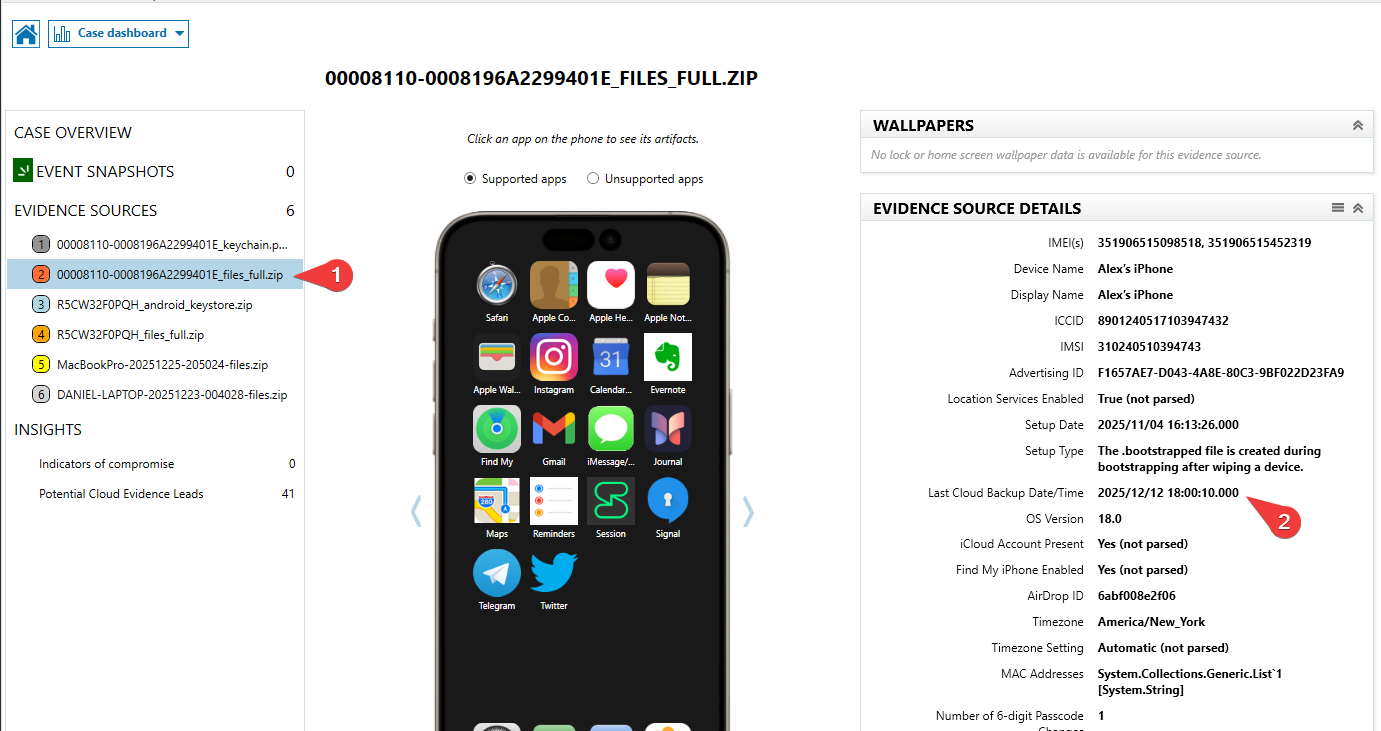
In UTC when was the last iCloud backup? (YYYY-MM-DD HH:MM:SS)
Axiom records the last backup timestamp in the case dashboard. This data can also be found in:
\private\var\mobile\Library\Preferences\com.apple.mobile.ldbackup.plist
FLAG
2025-12-12 18:00:10
Go the Distance (5 Points)
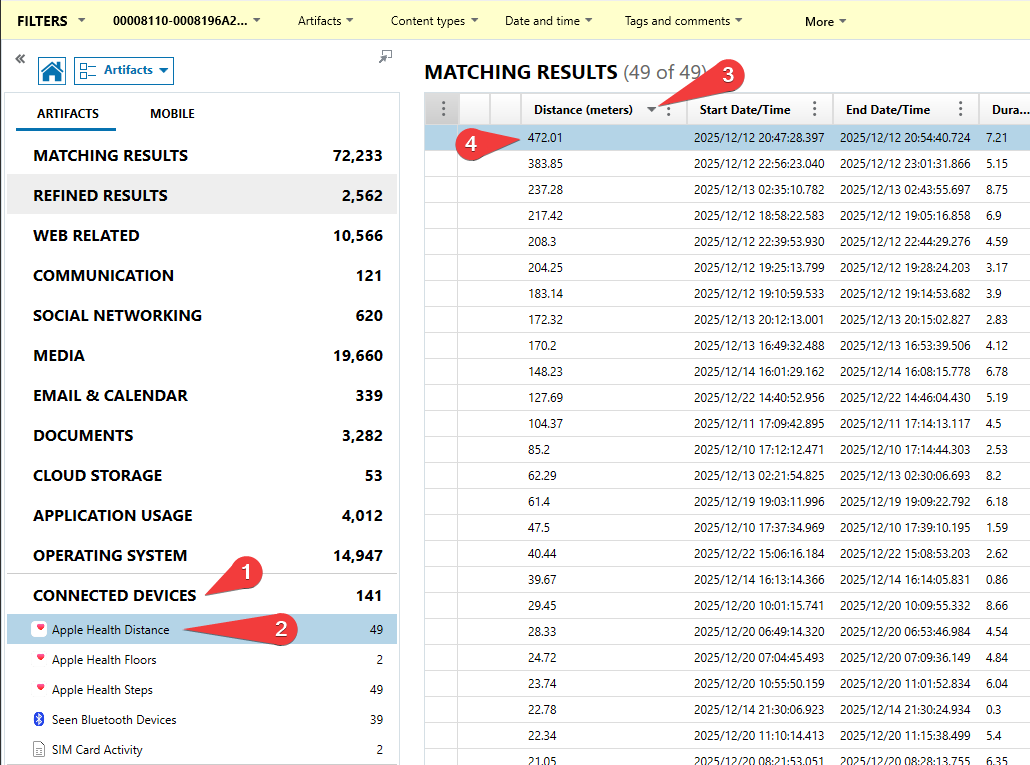
What was the farthest distance the user logged in meters? (Round to the nearest hundredth)
Axiom tracks the distance moved in each session based on Apple Health information found in the evidence. Sorting by distance makes the answer float to the top.
This can also be found in a database located at:
\private\var\mobile\Library\Health\healthdb_secure.sqlite
FLAG
472.01
What a caring coworker (5 Points)
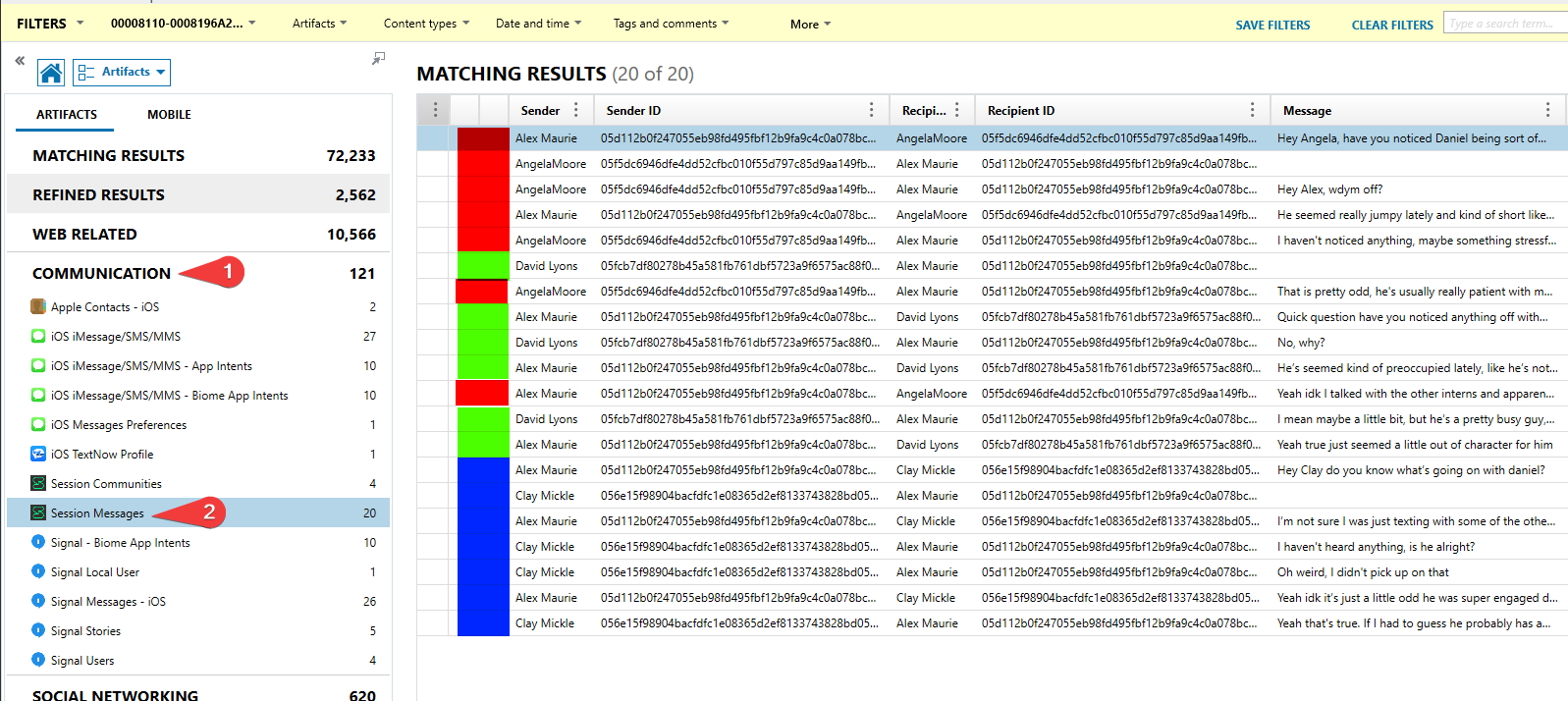
How many people did the user message expressing concern about Daniel?
Axiom parses messages sent over Session that are found in evidence. In the Session Messages tab, there are three other contacts that the user chats with. Conversations are highlighted in different colors below.
This data can also be found in a database located at:
\private\var\mobile\Containers\Shared\AppGroup\20FC1D56-1FC2-4A04-AADD-D62F8903D093\database\Session.sqlite
FLAG
3
Do you have any games on your phone? (10 Points)
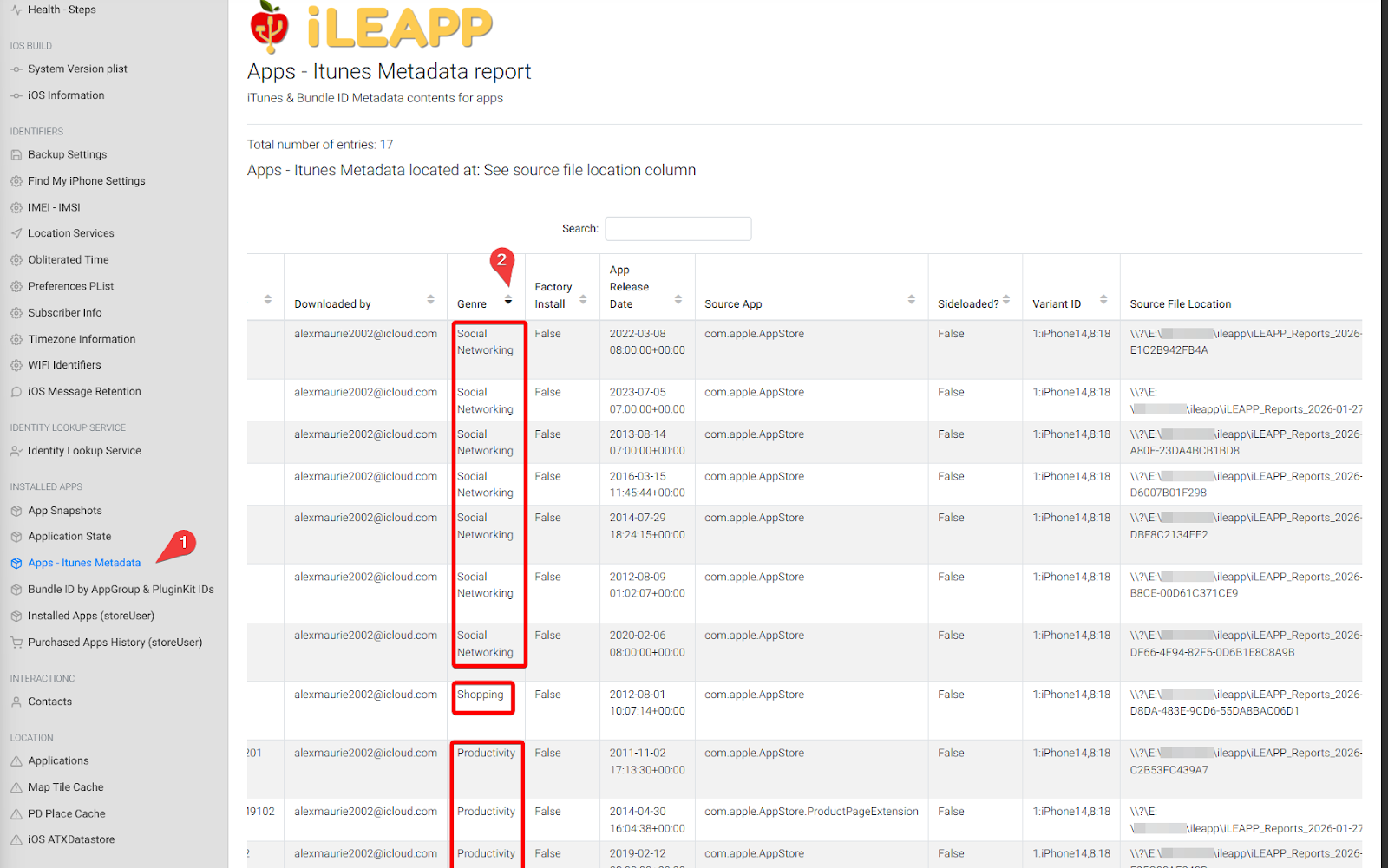
What genre of app did the user download the most of?
iLEAPP extracts the app genre based on the iTunesMetadata.plist file that accompanies every app. In iLEAPP, this shows up in the “Apps – Itunes Metadata” section. Sort by the Genre column, and count the amount of apps for each Genre.
FLAG
Social Networking
That would look nice in my garage (10 Points)
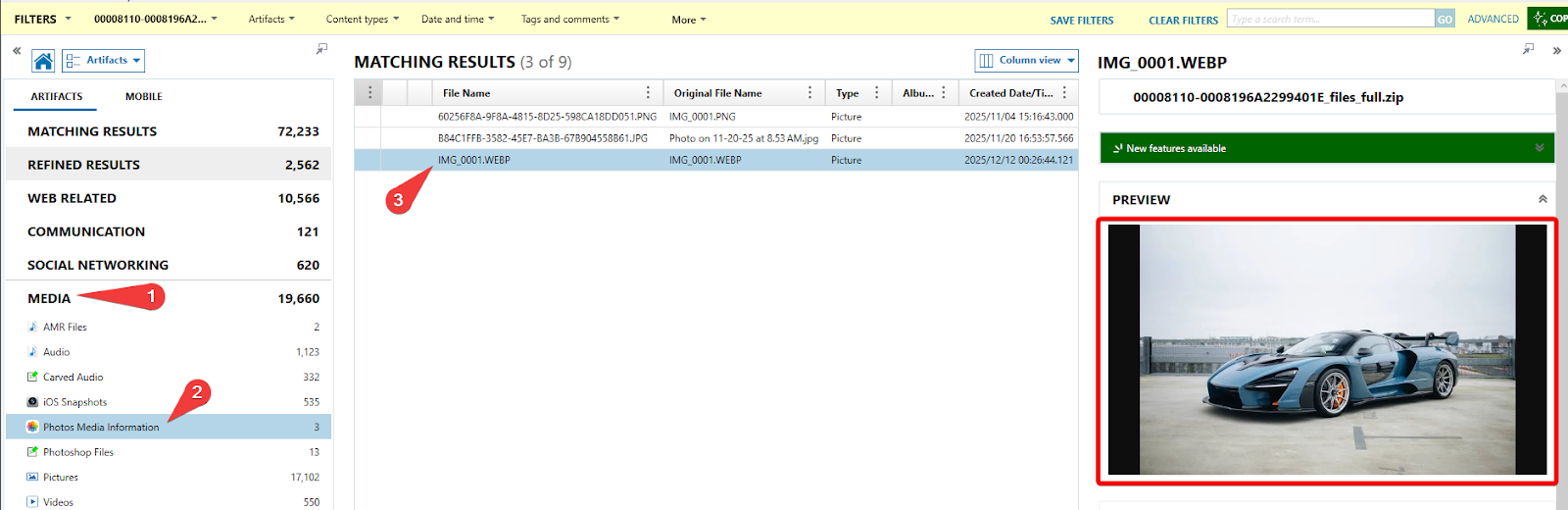
What is the make and model of the car that was photographed without an iPhone?
Axiom has a section for Photos Media Information, look in there and you can see a photograph of a car. There are a few locations that this picture turns up, but none of them have metadata or EXIF info that suggests that it was taken on an iPhone. If you don’t recognize the car, a reverse image search will quickly get the answer.

FLAG
McLaren Senna
Where are we going? (10 Points)
What airport was the phone near when it pinged off of a cell tower on 2025-12-16 22:47:24 (UTC)?
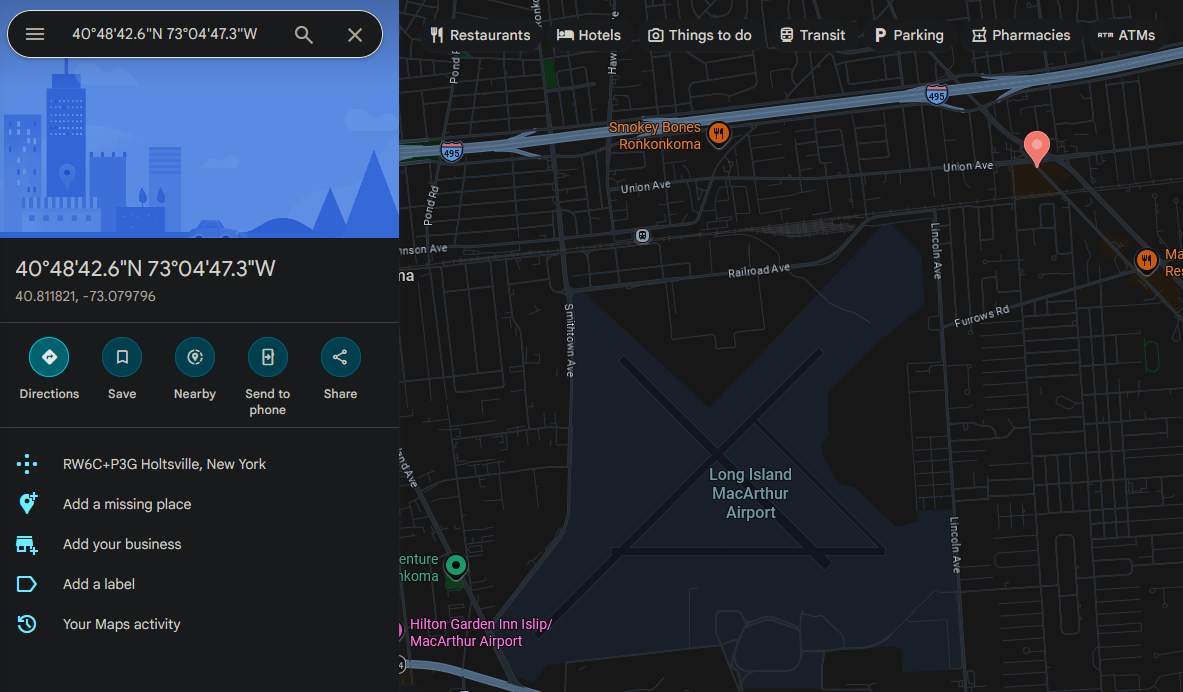
iOS logs the current location when it connects to a cell tower in a database located at \private\var\root\Library\Caches\locationd\cache_encryptedB.db. The Timestamp column is in Apple time, which after converting, leaves a row with one set of coordinates.
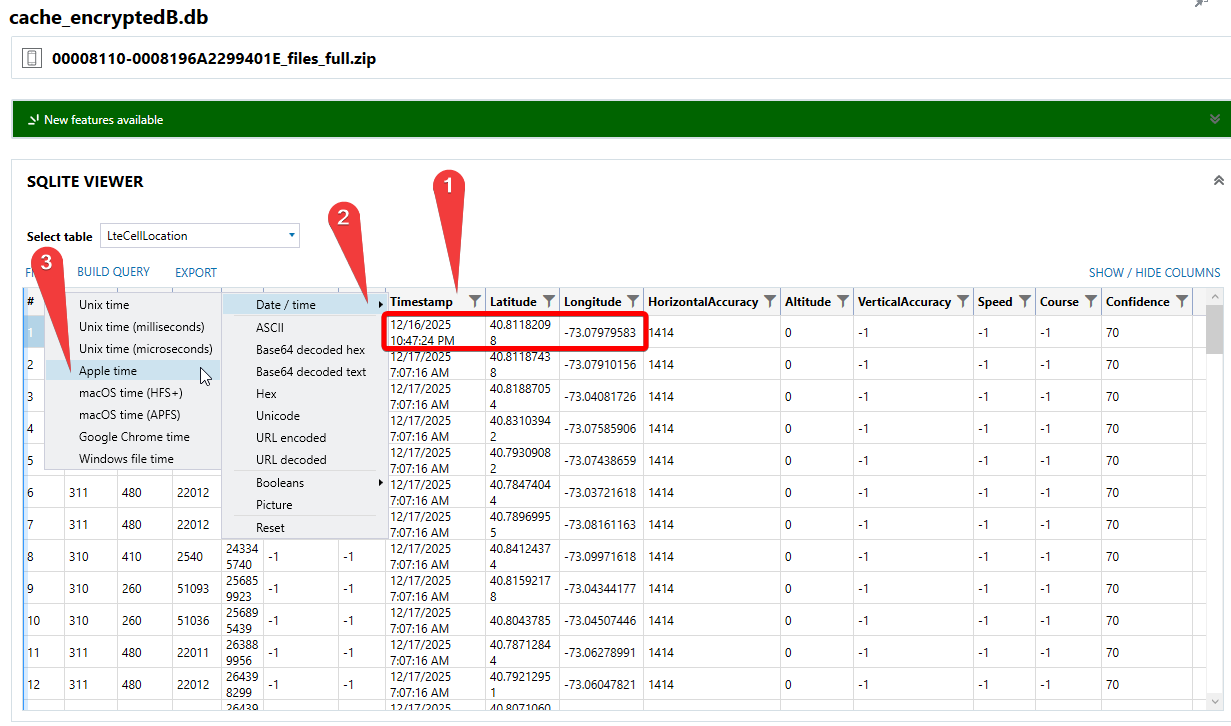
Plugging these coordinates into Google Maps or an equivalent tool shows that the nearest airport to this location is Long Island MacArthur Airport.
FLAG
Long Island MacArthur Airport
I prefer the color blue (10 Points)
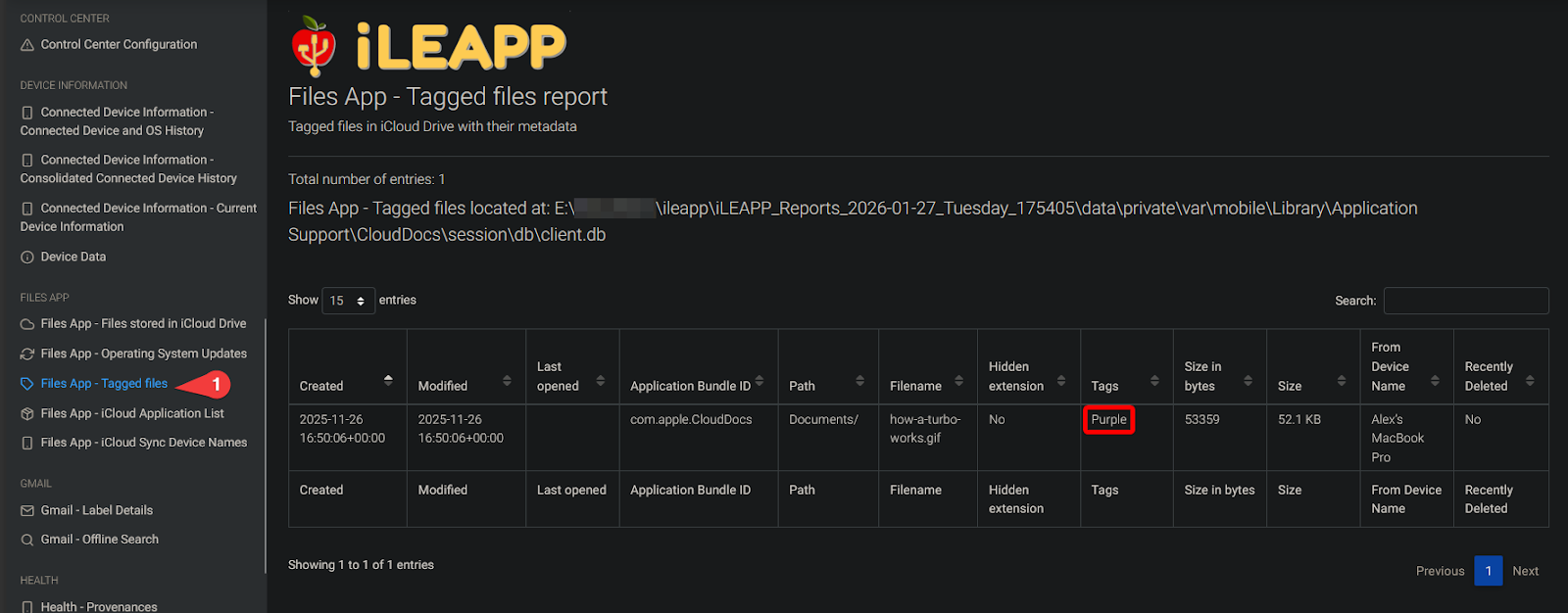
What is the name including extension of the purple tagged file?
iLEAPP tracks properties of each file visible in the Files app, including the tagged color assigned to the file using the database at \private\var\mobile\Library\Application Support\CloudDocs\session\db\client.db.
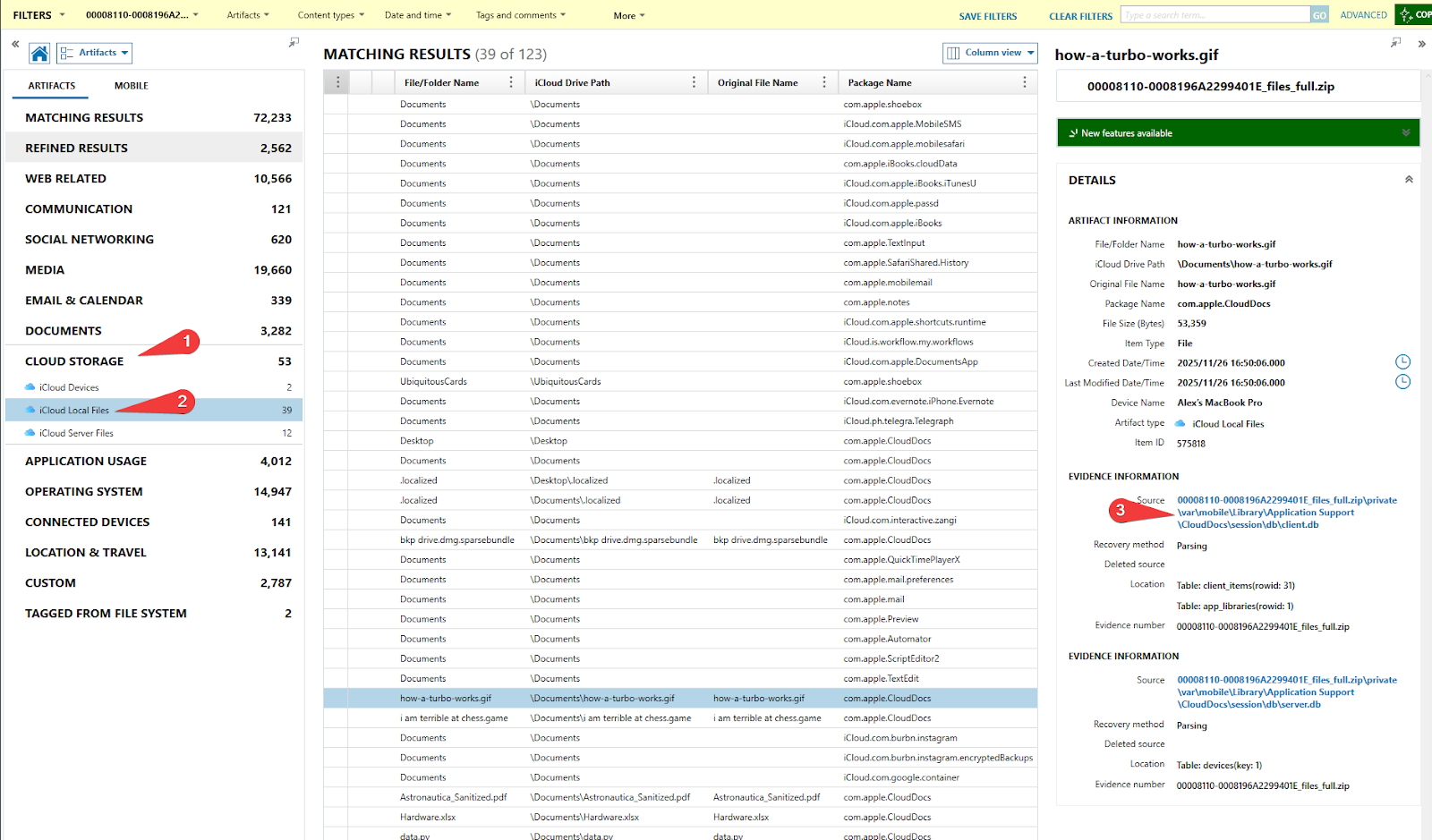
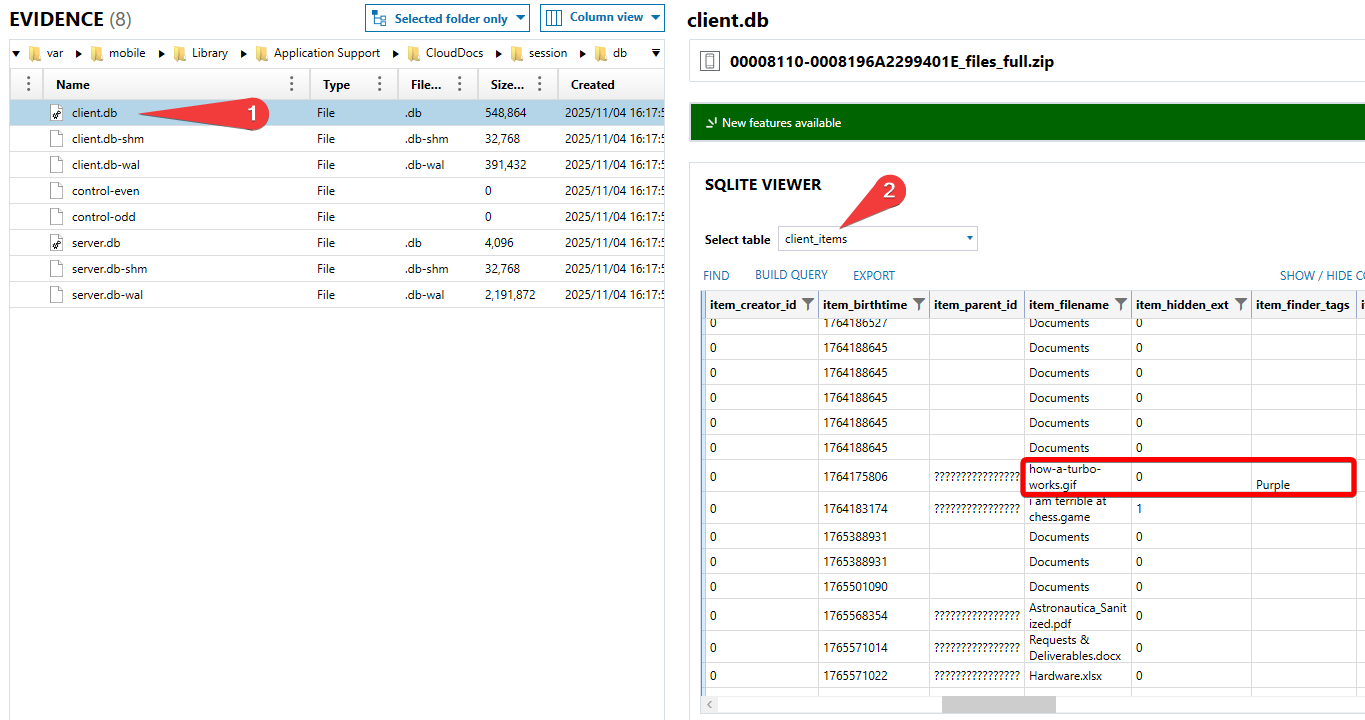
In Axiom, this artifact is found under iCloud Local Files, but you must click on the source database to see the tag.
FLAG
how-a-turbo-works.gif
I like your spirit (25 Points)
What secondhand item was the user searching for?
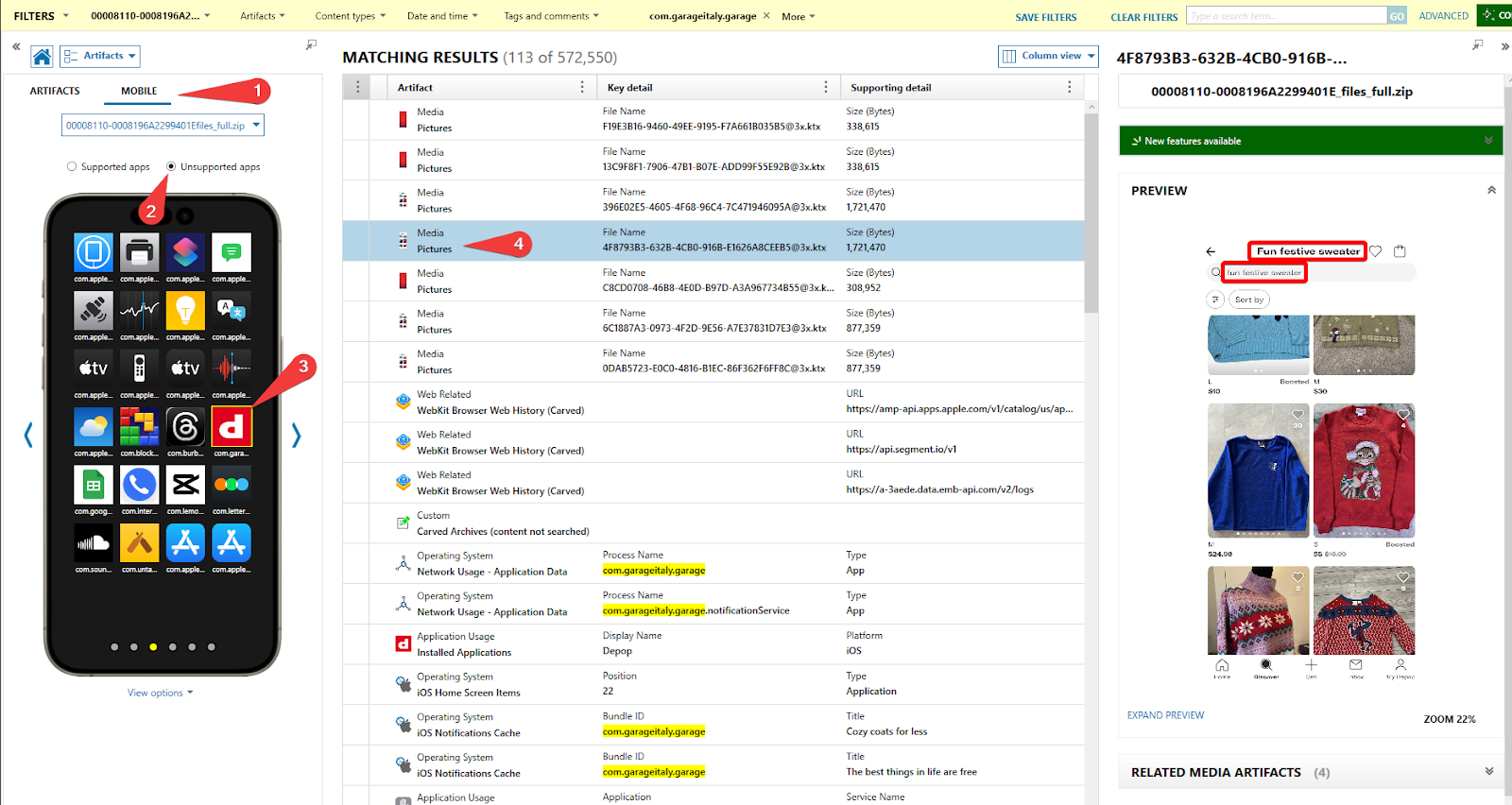
This question requires searching through the data of an unsupported app . The main hint here is that since we are looking for secondhand items, checking for apps dedicated to this purpose is key. With this reasoning, Depop stands out as it is an app for buying/selling items, mainly clothes.
After filtering by the app, selecting one of the app snapshots (.ktx) will allow you to see what was on the user’s screen at some point. Here, the search made by the user is visible.
FLAG
fun festive sweater
That’s not a Mario character (25 Points)
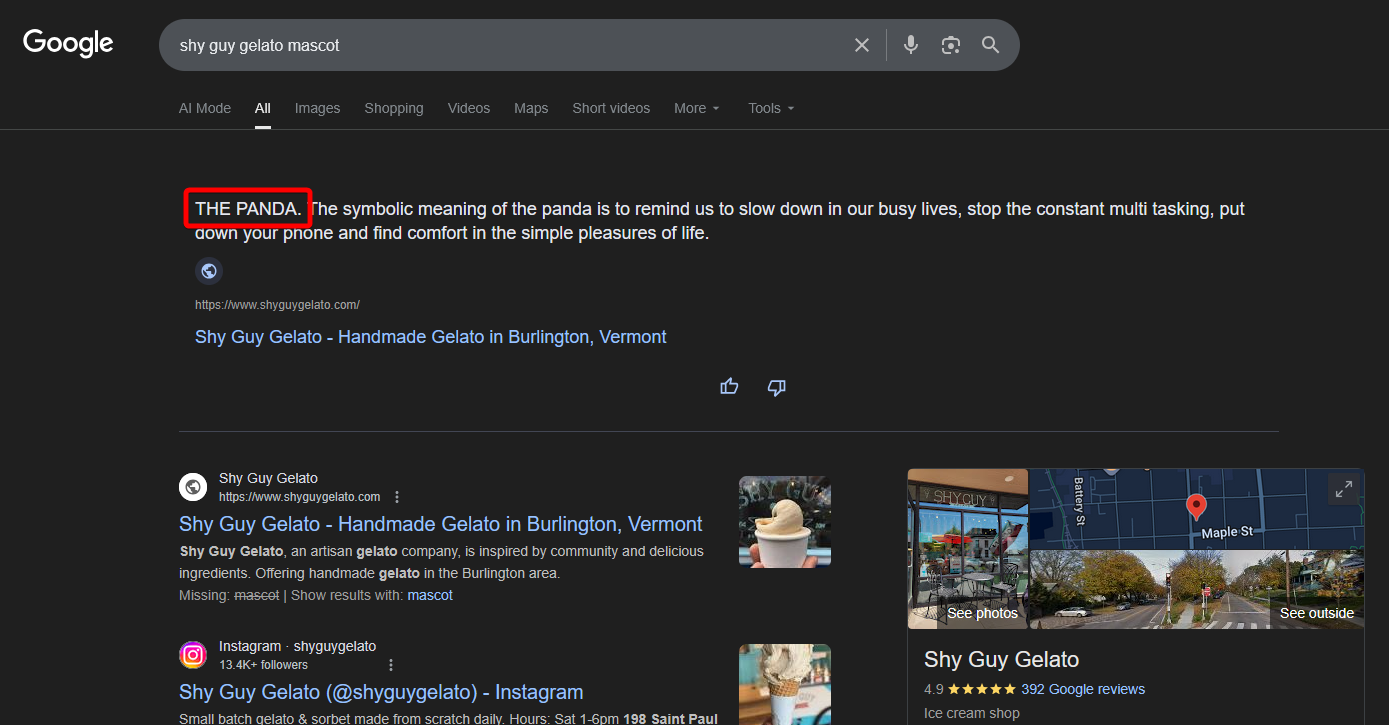
What is the mascot of the frozen dessert shop that the user visits a lot?
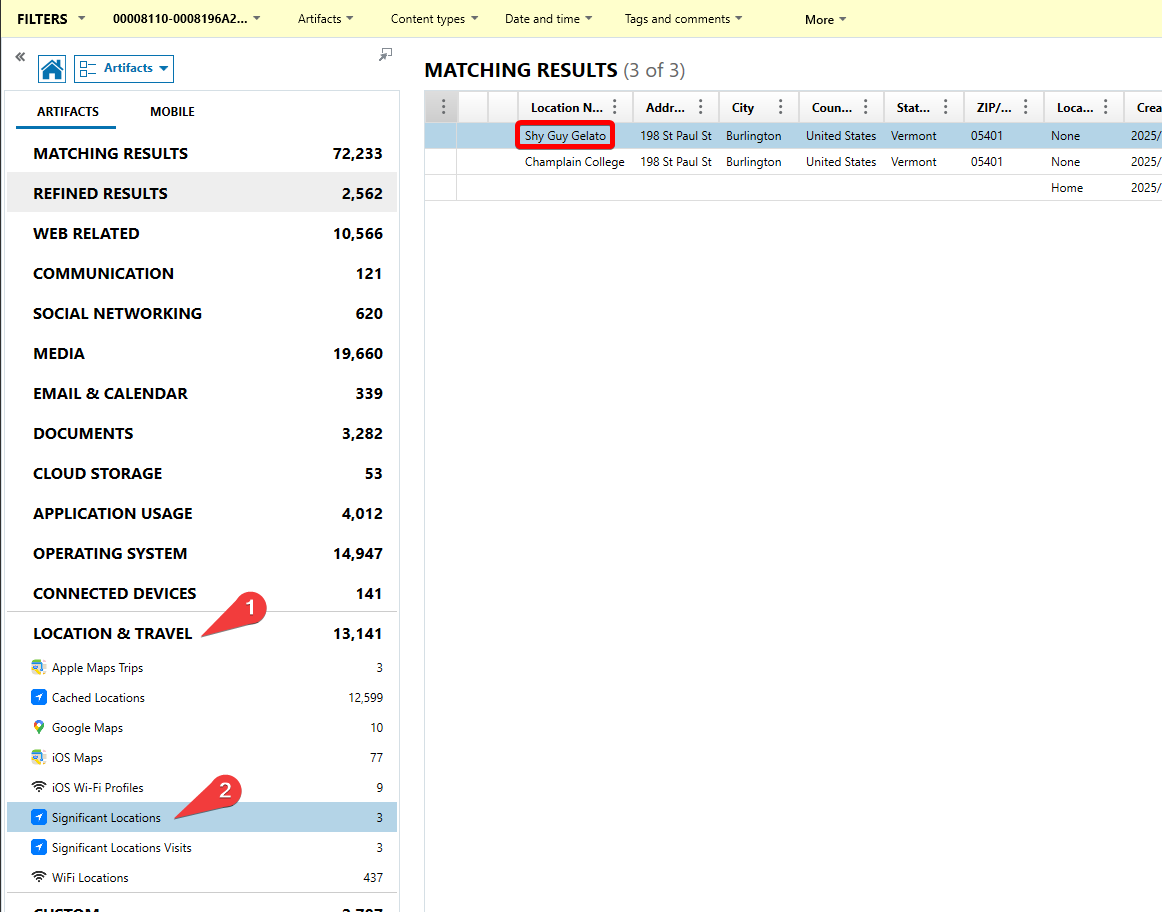
A location that is visited a lot should be a clear hint to check for Significant Locations, which is a specific iOS feature that gets tracked by Axiom as its own artifact. Here, we can see “Shy Guy Gelato” as a commonly visited location.
Searching “Shy Guy Gelato Mascot” online will return results for the mascot.
FLAG
“The Panda” OR “Panda”
They know their drinks! (25 Points)
What are the recorded coordinates of the place the user went to comment about a certain adult beverage?
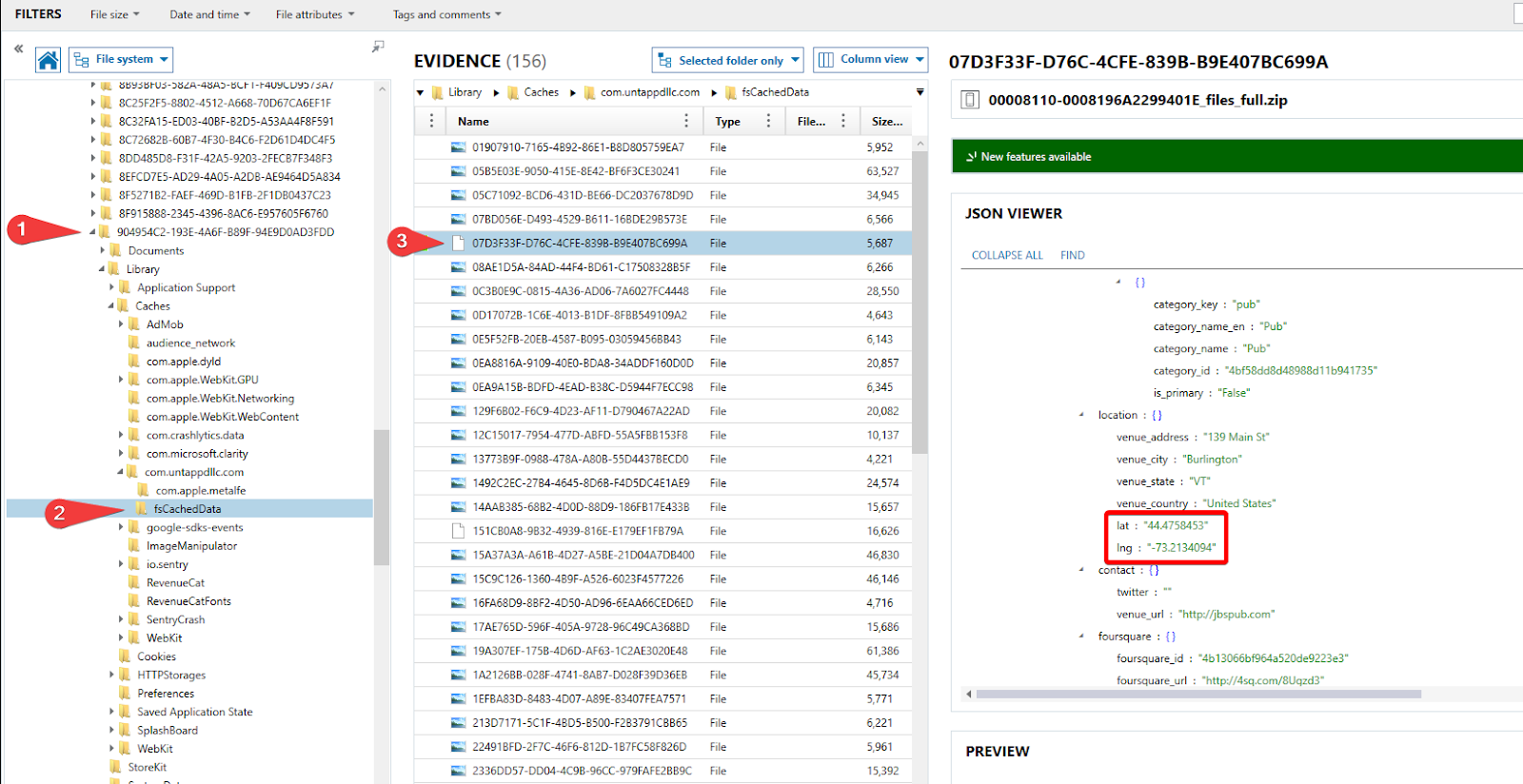
This question requires searching through an unparsed application’s files. After looking through the installed apps, Untappd should stand out when it comes to commenting about adult beverages.
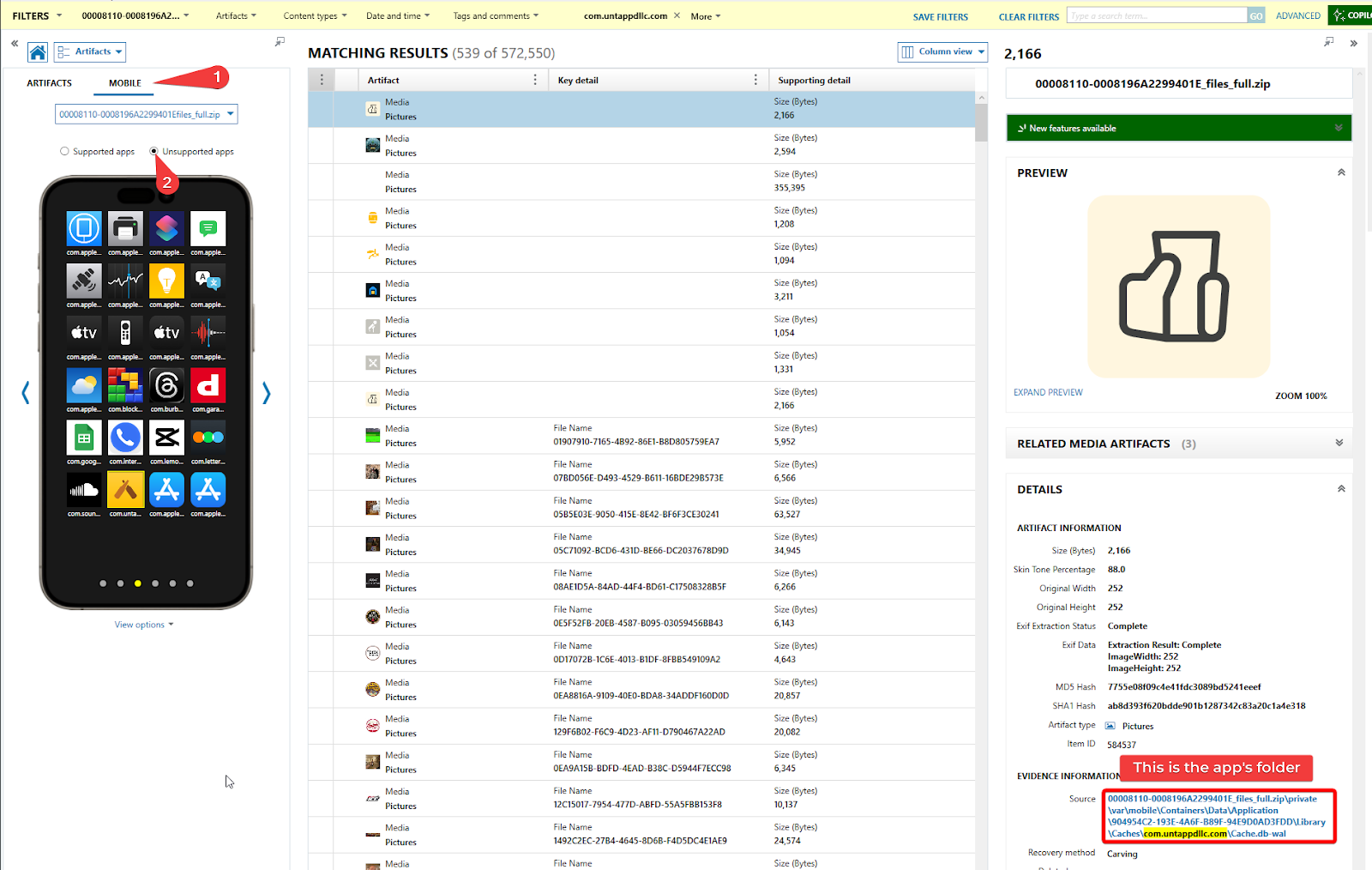
After locating the folder for the app, browsing through the cached data will reveal a file with JSON data, which contains the review the user left on a Budweiser.
FLAG
44.4758453, -73.2134094
Welcome Home (25 Points)
What port was the host directed through for a sign-in?
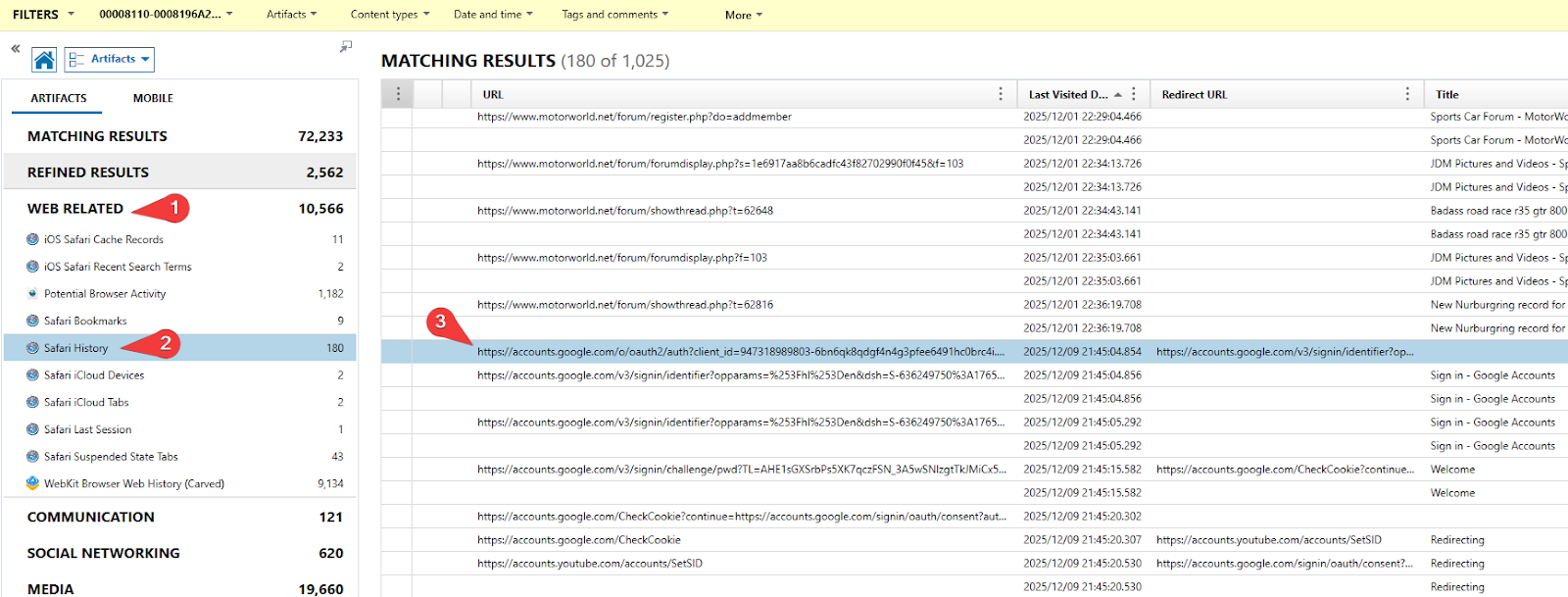
Looking for sign-ins on the browser will lead to seeing some URLs recorded in Safari History related to Google sign in pages.
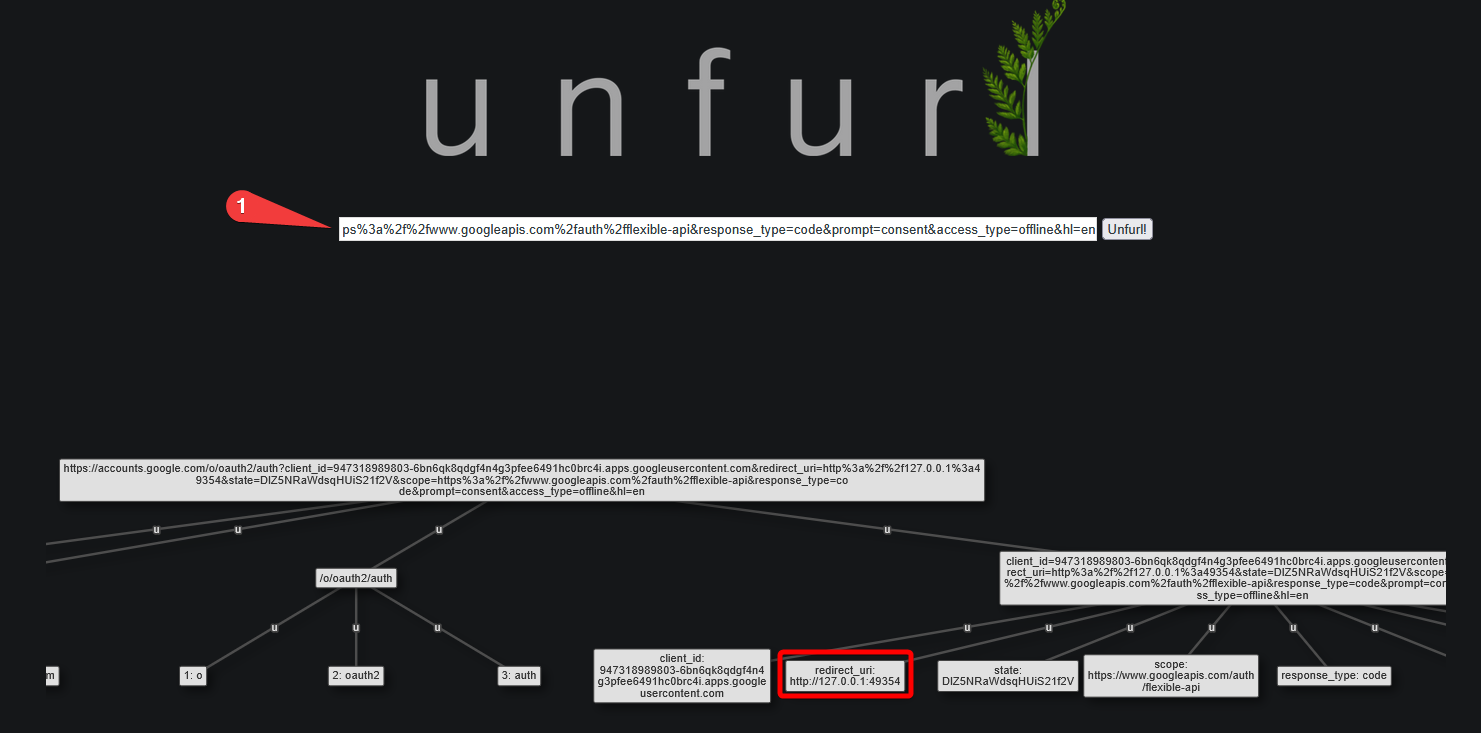
Using Unfurl to pull the URL apart reveals more details about the parameters:
FLAG
49354
Oops, all errors! (50 Points)
What word did the user misspell, then correct before sending over text on a Friday? (Format: type the misspelled word as-is)
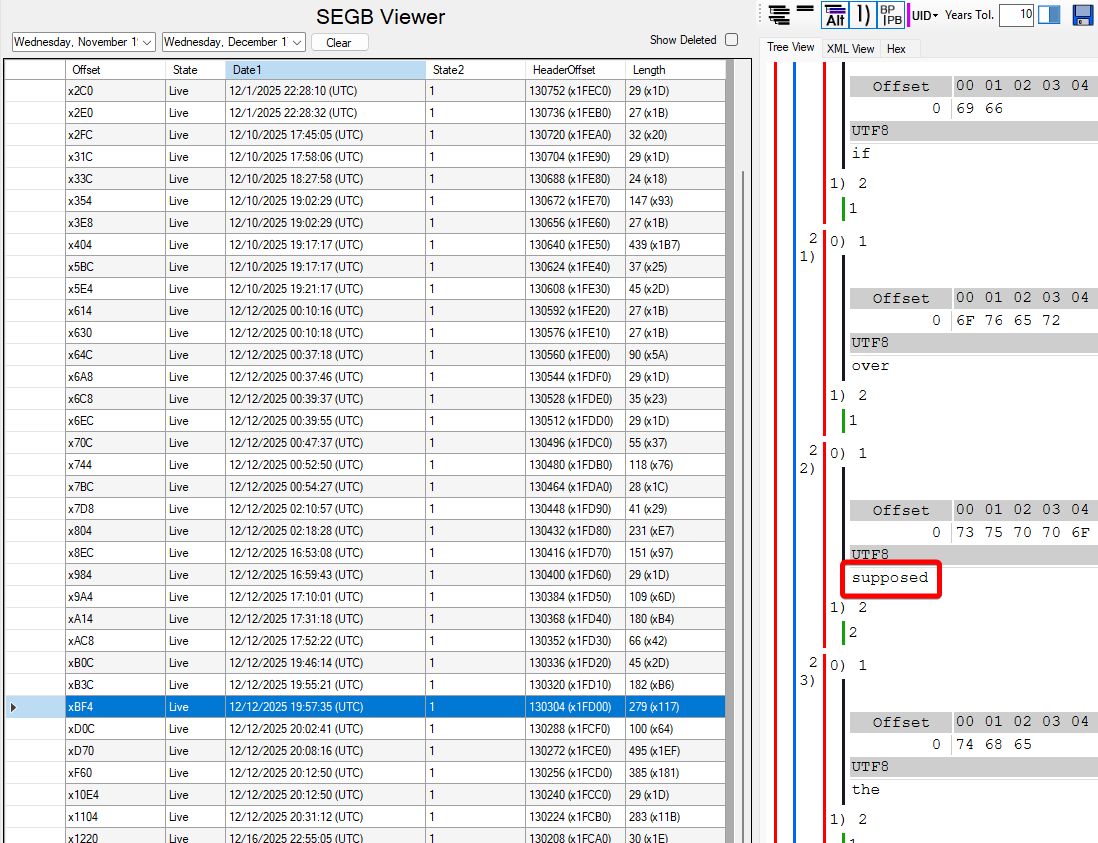
The purpose of this question is to parse an iOS Biome that is not automatically done by any tool. The text of the question gives the hint that the user corrected their mistake before sending, so you won’t see the mistake saved in any of the messaging apps on the phone. Instead, a better place to look is any artifacts related to the keyboard. A standout here is the Biome located at:
\private\var\mobile\Library\Biome\streams\restricted\Keyboard.TokenFrequency\local\785347902592136
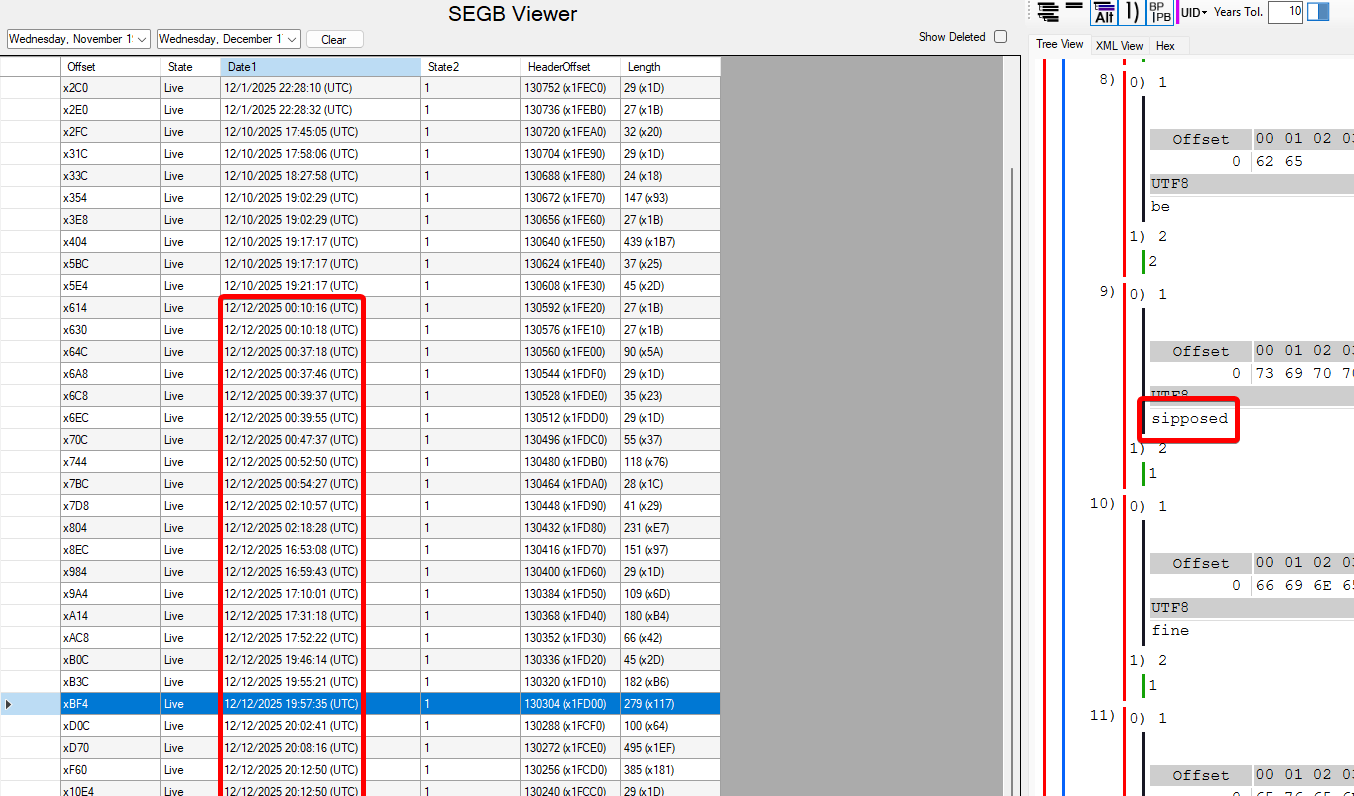
This is a SEGB file, which can be extracted and opened with a tool like Mushy.
Each entry here contains some of the raw words that the user has typed on their keyboard, before auto-capitalization and auto-correction. This biome has entries for 2025-12-12, which is on a Friday, and across all these entries, only one word recorded is misspelled:
The entry also has the corrected word, which shows up further down in the entry:
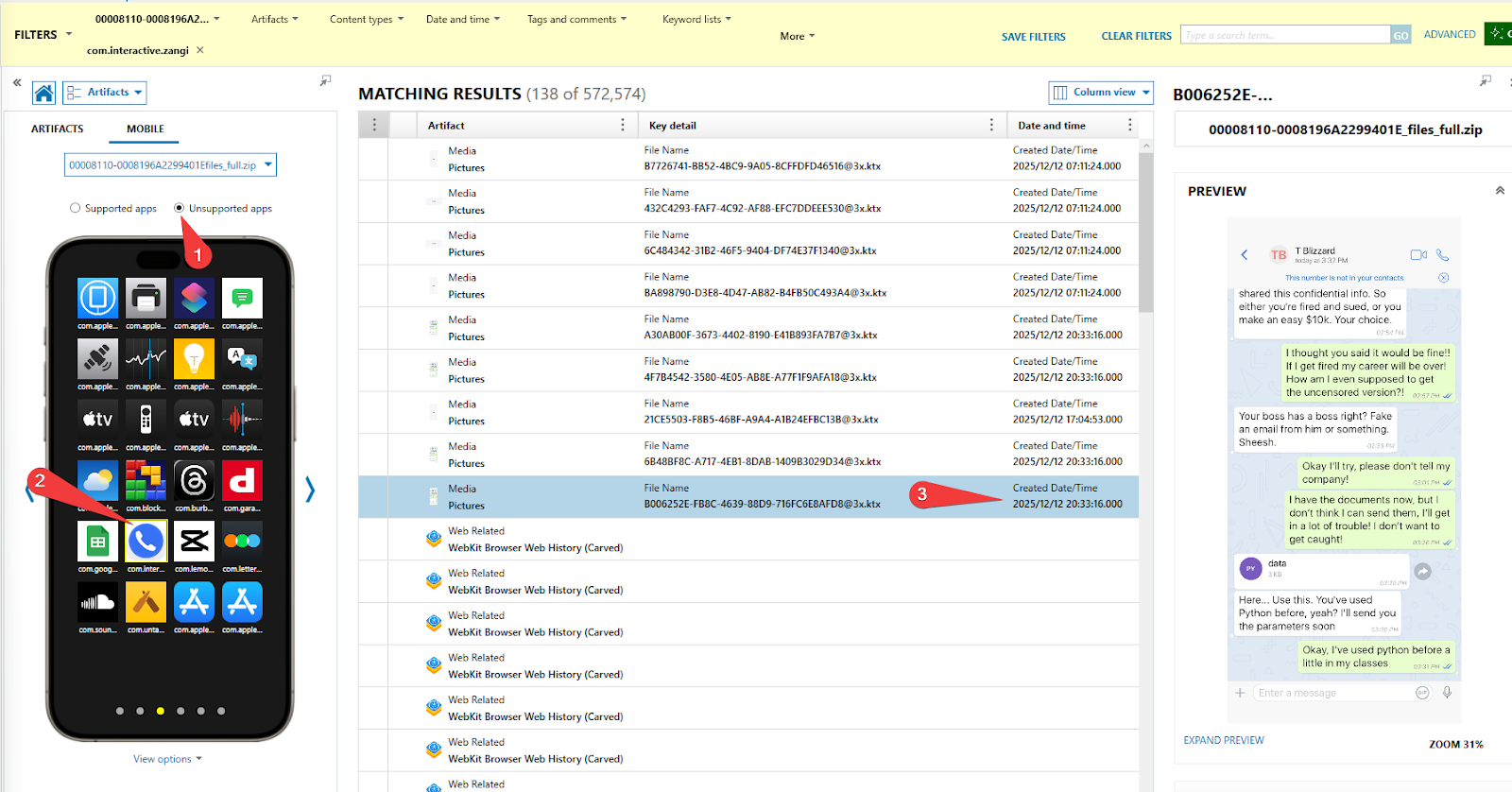
As a source of confirmation that the misspelled word was not sent, we can find message that the user was typing at that time in an app snapshot of Zangi, a messaging app:
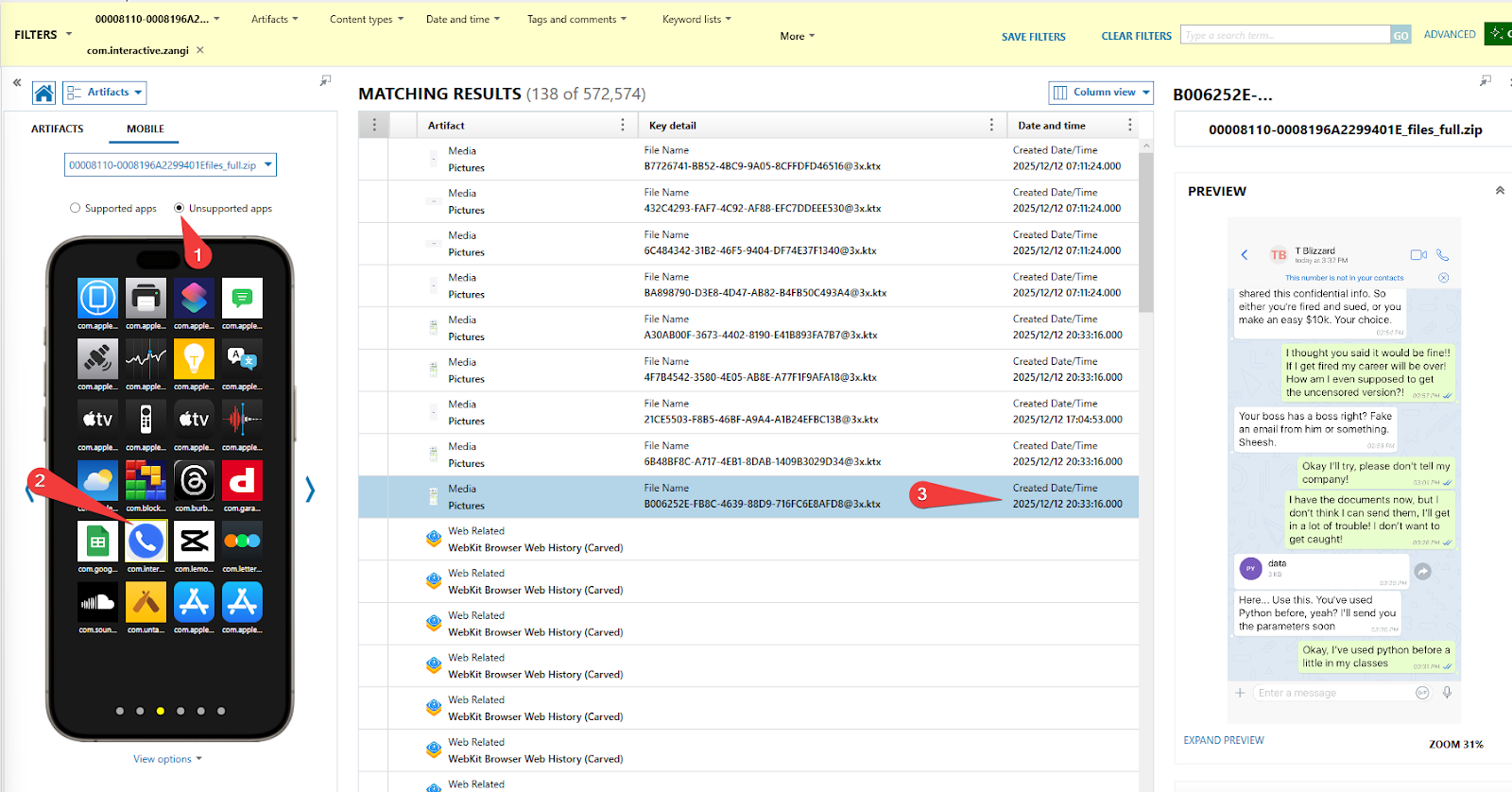
The timestamp matches up and the corrected word is underlined:
FLAG
sipposed
Lights Out (75 Points)
What is the UUID of the process that is related to an initiated shutdown?
First, extract Unified Logs. These are located at:
\private\var\db\diagnostics\Persist
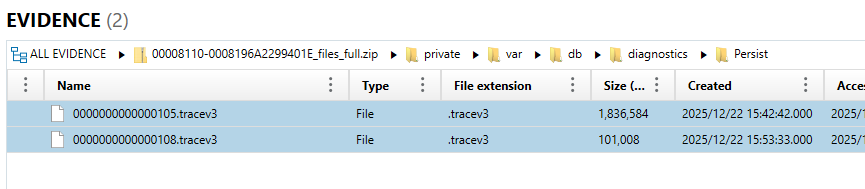
Next, parse these files with a suitable tool. Mandiant’s UnifiedLog Iterator is a great option for this. It is also included in EvanoleVM, making the process of running the tool extremely straightforward. Save the file as a .json so it is easier to read once opened.
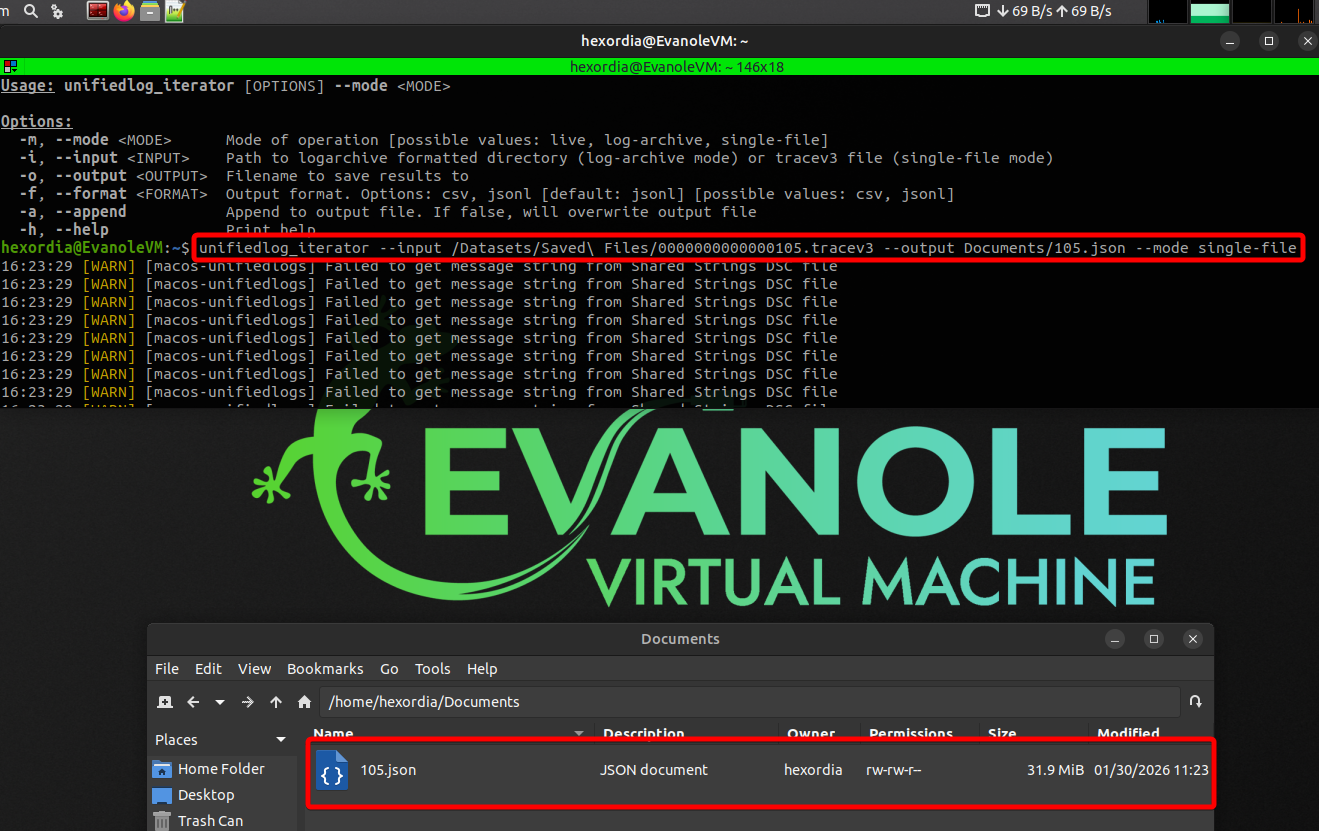
This is quite a large text file, so open with a capable text editor such as Notepad++.
Once the file is open, Search for “shutdown initiated”. You will see the process UUID next to the log message.
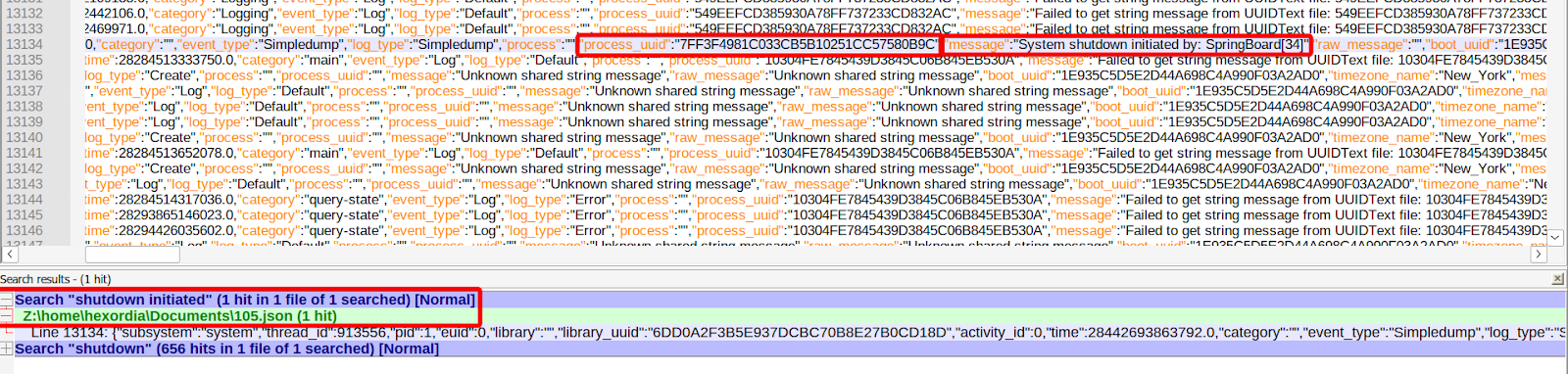
FLAG
7FF3F4981C033CB5B10251CC57580B9C
Take Your Time (100 Points)
How much time elapsed between Tom reading a phone number and sending their first message on a different platform? (Format: HH:MM:SS.sss)
To solve this question, manual parsing of the DM’s on X is required. First, you must locate the database responsible for storing these messages. It is stored at \private\var\mobile\Containers\Shared\AppGroup\70714265-0F4D-46D1-B896-49636E57A60C\com.atebits.tweetie.databases\v1\1998824521952800768\1998824521952800768-dmv2.db.
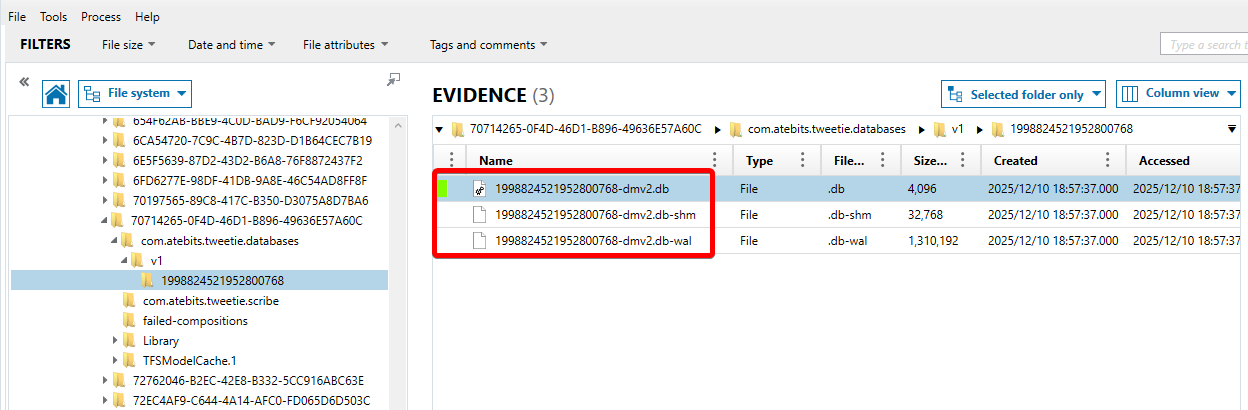
Next, you will have to associate each read receipt with its corresponding message. This is possible using the following SQL query which joins the dm_entry and dm_mark_read_event tables:
SELECT dm_entry.sender_id,dm_entry.sequence_number,dm_entry.plain_text,dm_mark_read_event.timestamp AS read_timestamp
FROM dm_entry
LEFT JOIN dm_mark_read_event ON dm_entry.sequence_number = dm_mark_read_event.seen_until_sequence_number
ORDER BY dm_entry.timestamp
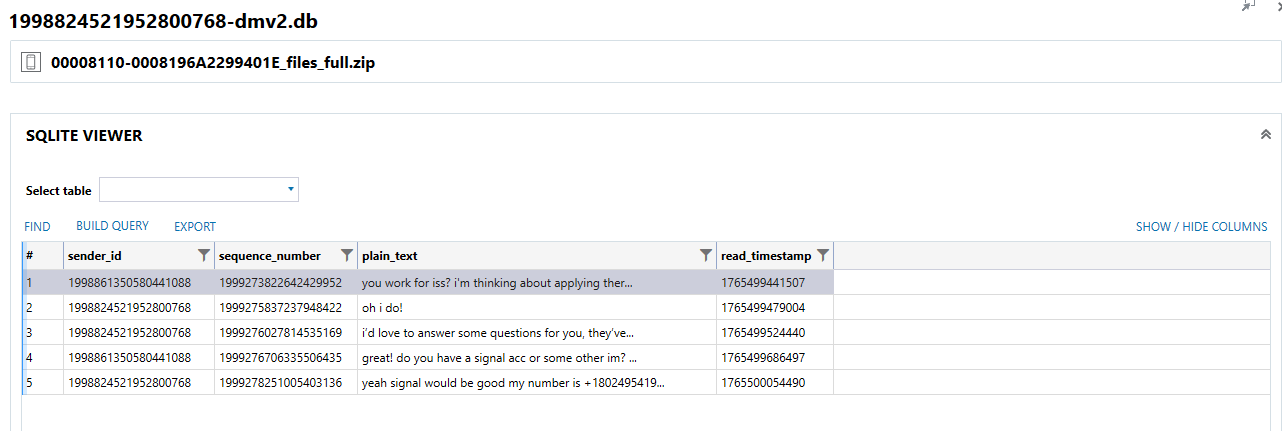
The last read receipt here is associated with the message containing the phone number sent by Alex. The timestamp translates to 2025-12-12 00:40:54.490 UTC.
Next step is to compare that timestamp with the first message sent over Signal by that user, this database is parsed, but for manual reference it is located at:
\private\var\mobile\Containers\Shared\AppGroup\32CBC3BF-F5D1-4693-9A9E-593C5DB532B4\grdb\signal.sqlite
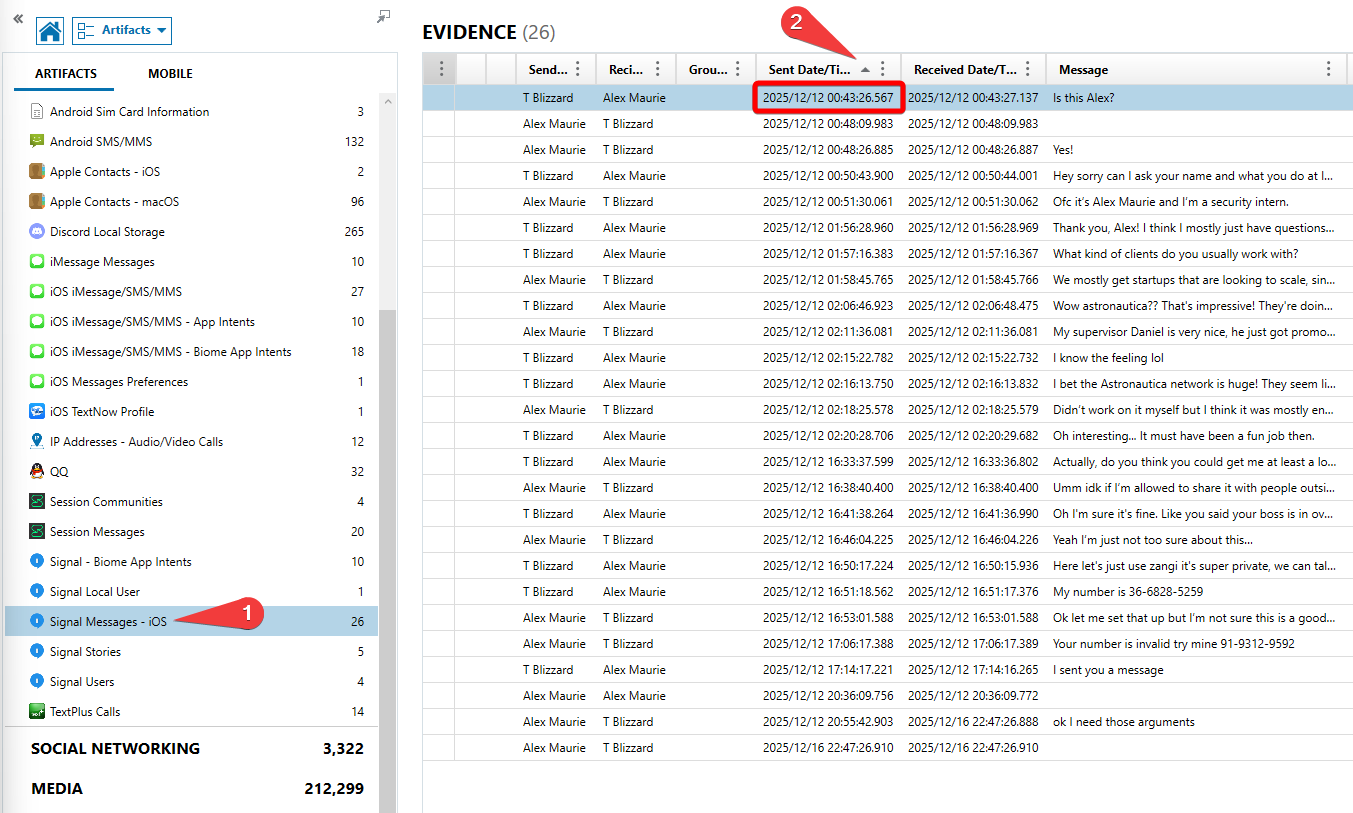
When we compare the two timestamps, 2025-12-12 00:40:54.490 and 2025-12-12 00:43:26.567, we can see that they are 00:02:32.077 apart from each other.
FLAG
00:02:32.077